Last updated: May 1, 2026
Quick Answer: Free AI home design generators are web-based tools that use artificial intelligence to redesign, render, and visualize interior spaces from photos, sketches, or room descriptions — at little or no cost. In 2026, platforms like RoomGPT, Planner 5D, and InteriorGPT give homeowners, renters, and small business owners access to professional-quality design results without hiring a decorator. The best free options let you upload a photo, choose a style, and get a photorealistic redesign in seconds.
Key Takeaways
- Free AI home design generators can render photorealistic room redesigns from a single uploaded photo, making professional-quality visualization accessible to anyone.
- Platforms vary widely: some offer unlimited free use (OpenArt), while others provide a free trial of 5 images before requiring a paid plan (InteriorGPT) [1][7].
- AI tools can now handle interior design, exterior design, floor plan creation, furniture staging, and even VR-ready renders — all from one platform [2].
- HomeDesigns AI supports 75+ design styles including Scandinavian, modern, industrial, and rustic [2].
- Planner 5D’s AI analyzes spatial data to flag layout problems like tight walkways and cluttered corners before you move a single piece of furniture [3].
- Conversational interfaces (describe your room in plain English, get results instantly) are now standard on leading free tools [7].
- Virtual staging features make these tools useful for real estate agents, not just homeowners [2].
- The biggest limitations of free tiers are render limits, lower image resolution, and lack of export options — not quality of the AI itself.
- Choosing the right tool depends on your use case: staging, remodeling visualization, floor planning, or style exploration.
What Exactly Are Free AI Home Design Generators?
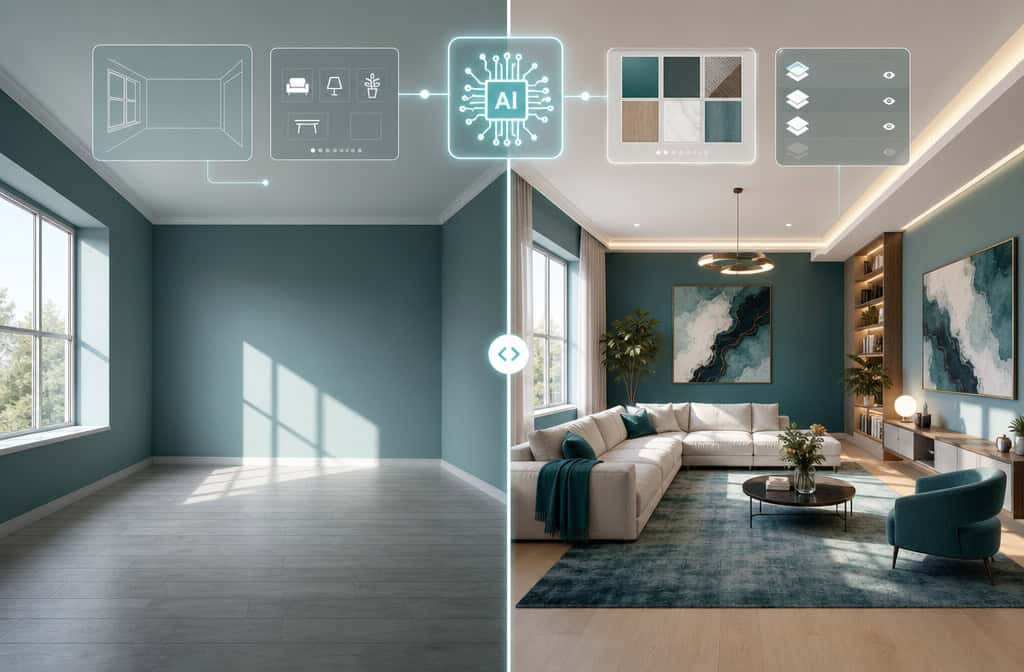
Free AI home design generators are software tools that apply machine learning models to interior design tasks — analyzing your room’s dimensions, lighting, and existing elements, then generating redesigned visuals based on your style preferences. They require no design training and no expensive software subscription to get started.
These tools work in a few different ways:
- Photo-to-render: Upload a photo of your existing room; the AI reimagines it in a chosen style.
- Sketch-to-render: Draw a rough floor plan or room sketch; the AI produces a polished 3D visualization.
- Text-to-design: Describe your space in plain language; the AI generates design options from scratch.
- Floor plan recognition: Upload a hand-drawn or digital floor plan; the AI builds a 3D model automatically [3].
The term “free” covers a spectrum. Some platforms are genuinely free with no account required (OpenArt’s home design generator, for example) [1]. Others offer a free trial — InteriorGPT AI gives 5 fully rendered images before asking for payment [7]. Knowing which model a platform uses before you start saves time.
Who this is for: Homeowners planning a renovation, renters wanting to visualize furniture arrangements, real estate agents staging empty properties, and small business owners redesigning commercial spaces. It’s not a replacement for a licensed architect on complex structural projects.
How Do These Tools Actually Work?
The AI behind these generators is trained on large datasets of interior design images, spatial layouts, and style references. When you upload a photo or describe a room, the model identifies structural elements (walls, windows, floors), existing furniture, and lighting conditions. It then applies a style transfer or generative process to produce a new visual that respects the room’s geometry while changing its aesthetic.
Planner 5D, for instance, uses AI algorithms that analyze design patterns and spatial data to automatically optimize furniture layouts — flagging problem areas like tight walkways or cluttered corners before you commit to a layout [3]. That’s genuinely useful, not just cosmetic.
InteriorGPT AI uses a chat-based workflow: you describe your space in plain language, upload a photo or sketch, and receive photorealistic options in seconds [7]. This conversational approach lowers the barrier for users who aren’t comfortable with design software.
Key AI capabilities across leading platforms in 2026:
| Capability | Available On Free Tier? | Example Platform |
|---|---|---|
| Photo-to-render redesign | Yes (limited renders) | RoomGPT, InteriorGPT |
| Style selection (75+ options) | Yes | HomeDesigns AI [2] |
| Floor plan generation | Partial | Planner 5D [3] |
| Exterior design rendering | Yes | HomeDesigns AI [5] |
| Virtual staging (empty rooms) | Yes | Interior AI [2] |
| VR/animation output | Paid only | Multiple platforms |
| Sketch-to-render | Yes | OpenArt [1] |
Which Free AI Home Design Generators Are Worth Using in 2026?
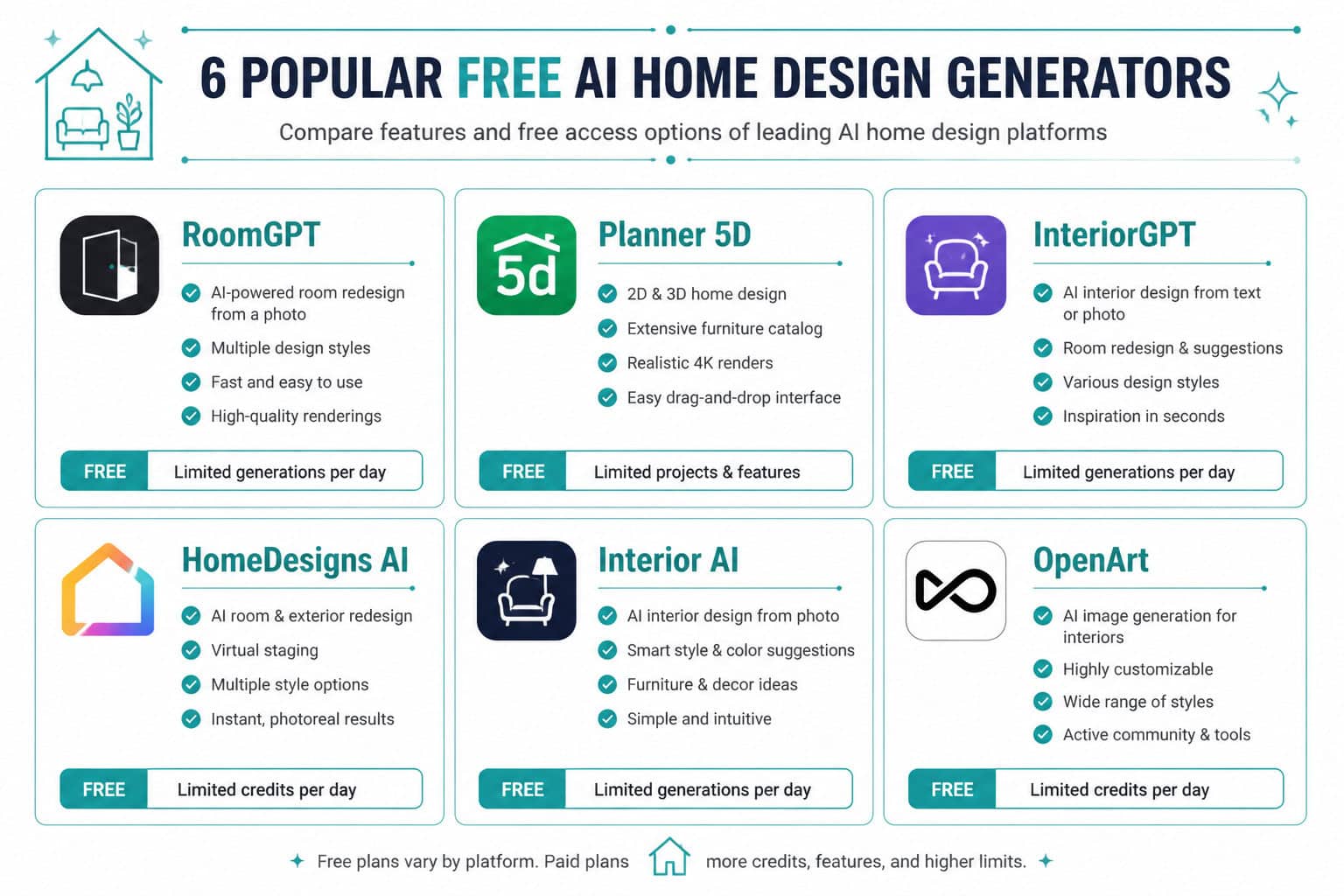
The short answer: RoomGPT, Planner 5D, OpenArt, HomeDesigns AI, and InteriorGPT are the strongest options depending on your specific need. Each has a different strength, and none is universally “best.”
Here’s a practical breakdown:
🏠 RoomGPT
- Best for: Quick style experiments with zero setup
- Free tier: Yes, limited renders per session
- Standout feature: Upload one photo, get multiple style options in under 30 seconds [9]
- Limitation: Lower resolution outputs on the free plan
📐 Planner 5D
- Best for: Full room planning with furniture placement
- Free tier: Core design tools available; photorealistic renders require a subscription
- Standout feature: AI Smart Wizard and floor plan recognition [3]
- Limitation: Advanced 3D renders are paywalled
🎨 OpenArt Home Design Generator
- Best for: Completely free access with no account required
- Free tier: Yes, no cost barrier [1]
- Standout feature: Sketch-to-render and style generation from text prompts
- Limitation: Less specialized for interior design than dedicated tools
🏡 HomeDesigns AI
- Best for: Users who want both interior AND exterior design options
- Free tier: Limited free renders
- Standout feature: 75+ design styles, hyper-realistic rendering, exterior design generation [2][5]
- Limitation: Free renders are limited before paywall
💬 InteriorGPT AI
- Best for: Users who prefer describing rooms in plain language
- Free tier: 5 fully featured free images [7]
- Standout feature: Chat-based interface, works from photos, sketches, or model screenshots
- Limitation: Very limited free renders before upgrade required
Choose RoomGPT or OpenArt if you want zero friction and immediate results. Choose Planner 5D if you’re planning an actual renovation and need spatial accuracy. Choose HomeDesigns AI if you want the widest style range and exterior visualization.
For a broader look at how AI is changing creative workflows, see our guide to the best AI graphic design tools for creative workflows.
Step-by-Step: How to Use Free AI Home Design Generators Effectively
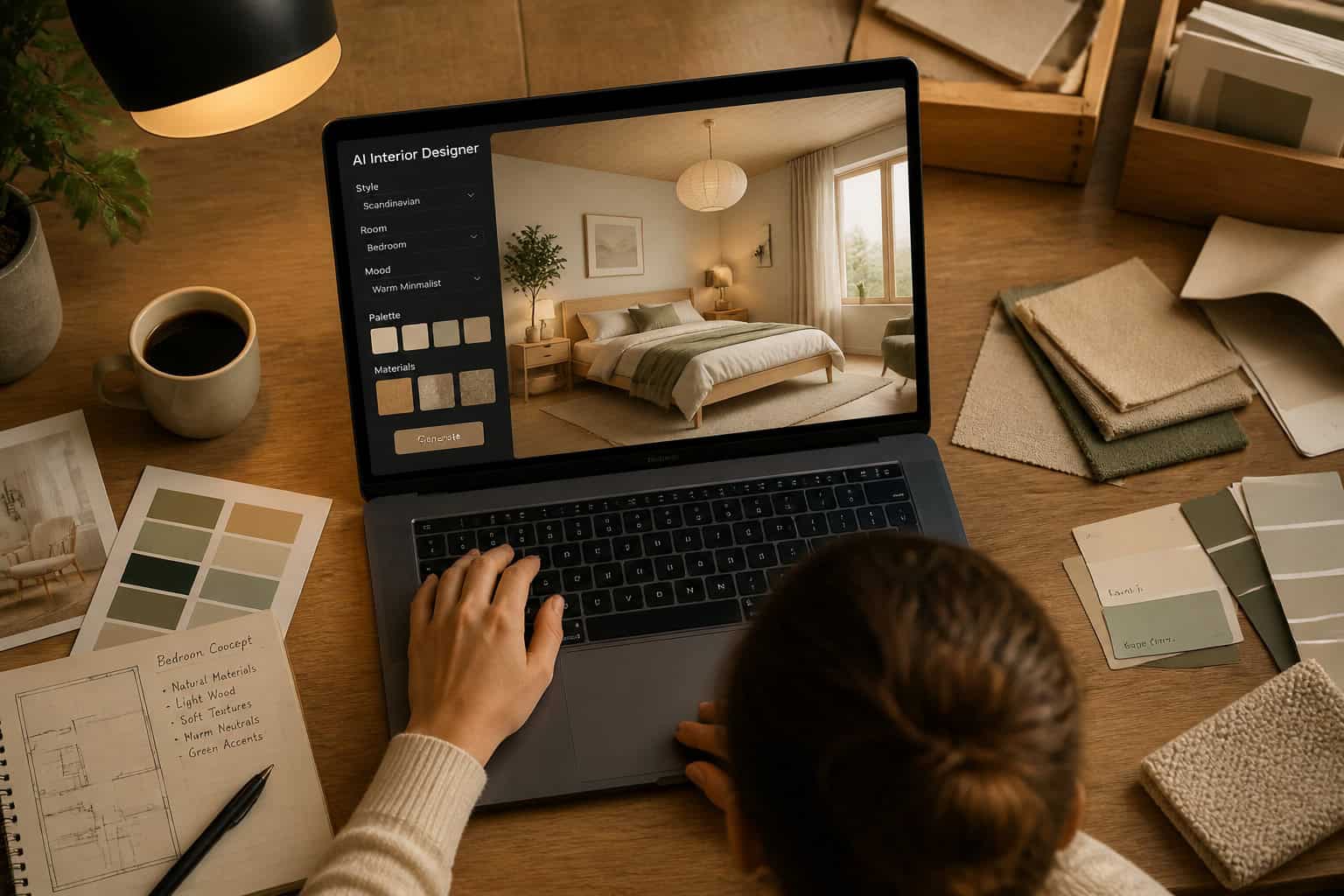
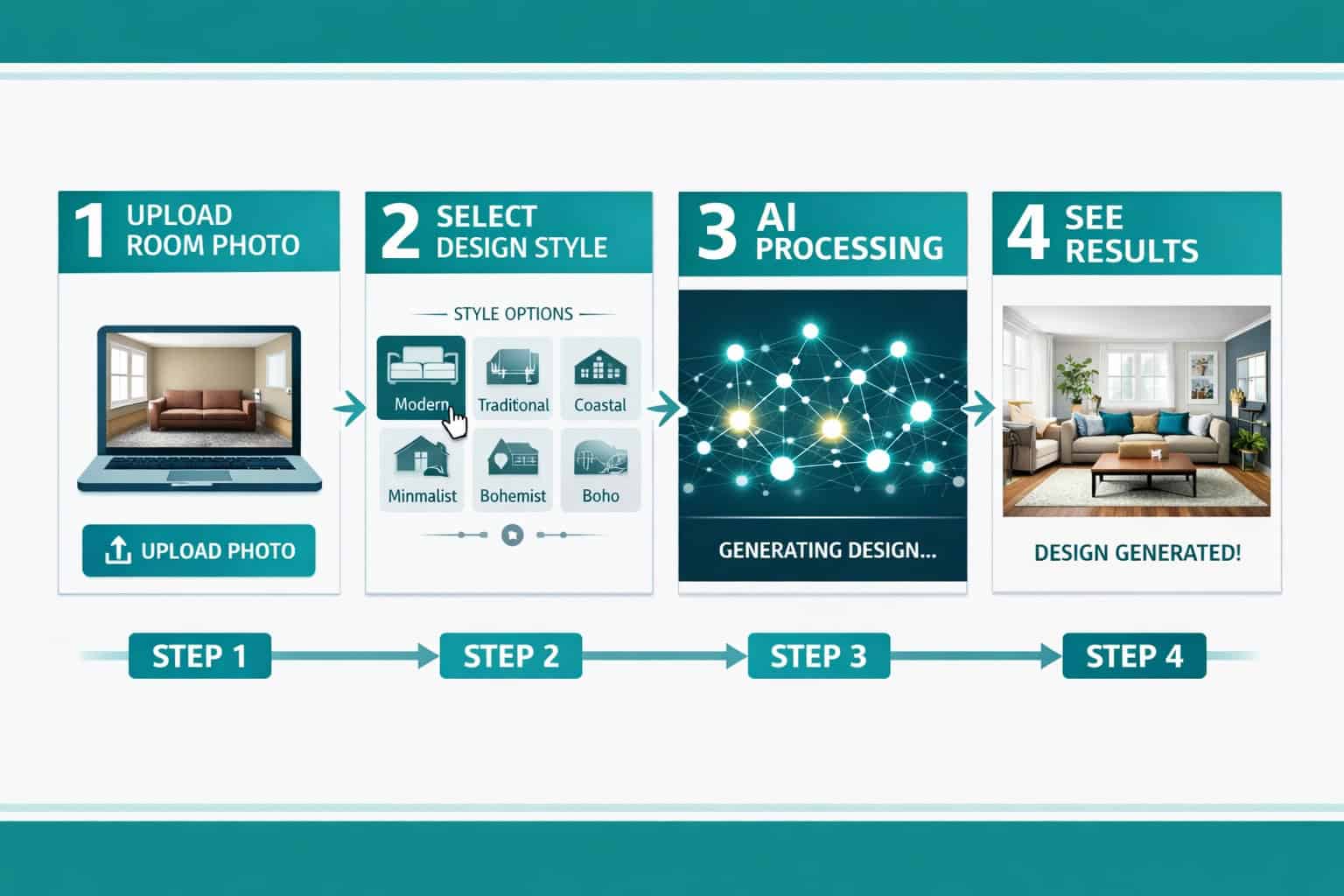
Getting a good result from an AI home design tool isn’t just about clicking “generate.” The quality of your input directly affects the quality of your output. Here’s a process that works:
Step 1: Photograph your room properly
- Shoot from a corner to capture two walls and the floor.
- Use natural daylight — avoid harsh artificial lighting that creates shadows.
- Keep the camera level; tilted photos confuse the AI’s spatial analysis.
- Clear major clutter before shooting (the AI will redesign, not tidy up).
Step 2: Choose your platform based on your goal
- Staging an empty room for real estate? Use Interior AI or HomeDesigns AI [2].
- Planning furniture placement? Use Planner 5D [3].
- Just exploring styles? Use RoomGPT or OpenArt [1][9].
Step 3: Select a style with specificity Don’t just pick “modern.” Most platforms let you choose sub-styles: “Japandi,” “mid-century modern,” “coastal farmhouse.” The more specific your selection, the more coherent the output.
Step 4: Iterate, don’t settle Run 3-5 variations before deciding. Free tiers often allow multiple renders per session. Small changes in style selection produce dramatically different results.
Step 5: Use the output as a reference, not a blueprint AI renders are visualization tools. Use them to communicate your vision to a contractor, furniture retailer, or family member — not as precise measurements or material specs.
This process mirrors how professional designers use mood boards and concept renders early in a project. The AI just compresses that process from days to minutes.
For those interested in how AI tools are reshaping design workflows more broadly, our comprehensive guide to AI-powered content generation tools covers the wider landscape.
What Can Free AI Home Design Generators Actually Do in 2026?
The capability range has expanded significantly. These tools are no longer limited to simple style filters applied to photos. In 2026, leading platforms can [2]:
- Generate new designs from scratch based on text descriptions
- Render hand-drawn sketches into photorealistic 3D visuals
- Remodel existing spaces — changing wall colors, flooring, and furniture simultaneously
- Create floor plans from uploaded photos or hand-drawn layouts
- Add or remove furniture from a scene without affecting surrounding elements
- Visualize different lighting conditions (morning light, evening ambiance, artificial lighting)
- Generate exterior designs — HomeDesigns AI stands out here, covering facades, landscaping, and outdoor spaces [5]
- Support virtual staging for real estate — working with empty rooms, CAD models, and SketchUp files [2]
The photorealistic render quality from tools like Planner 5D is now comparable to what professional rendering software produced just three years ago [3]. That’s a meaningful shift for homeowners who previously needed to hire a designer just to visualize a renovation.
One area where free tiers still fall short: animation and VR output. Most platforms reserve these for paid plans. If you need a walkthrough video of your redesigned space, expect to pay.
What Are the Real Limitations of Free AI Home Design Tools?
Free AI home design generators are genuinely useful, but they have real constraints worth knowing before you start.
Render limits are the most common frustration. Most free tiers cap you at 5-15 renders before requiring payment or account creation. InteriorGPT’s 5 free images [7] is typical. Plan your sessions to use renders efficiently.
Resolution is often reduced on free plans. The AI generates high-resolution outputs, but free tiers frequently deliver compressed versions. For personal visualization, this is fine. For printing or professional presentations, you’ll likely need to upgrade.
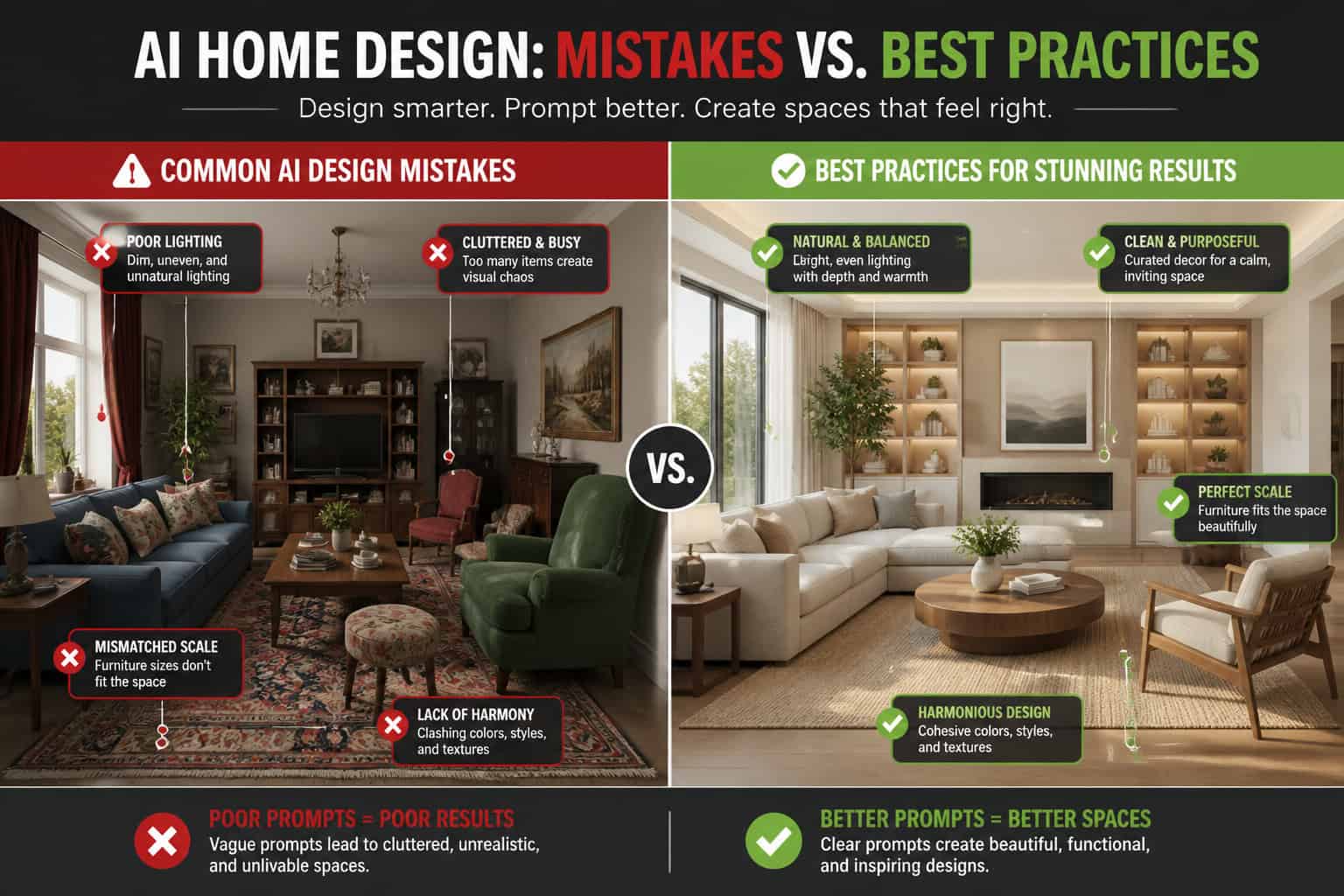
Spatial accuracy has limits. AI tools analyze photos, but they don’t have precise room measurements. Furniture that looks proportional in a render may not fit your actual space. Always verify dimensions independently before purchasing.
Style coherence can break down. When you select unusual style combinations or very specific requests, AI generators sometimes produce results that look stylistically inconsistent — a mid-century sofa next to a baroque chandelier, for example. This happens more on free tools with less refined models.
No structural advice. These tools visualize; they don’t engineer. They won’t tell you if removing a wall is load-bearing, if your electrical layout supports a kitchen island, or if your flooring choice is appropriate for radiant heat. For structural changes, consult a professional.
Common mistake: Treating AI renders as accurate representations of how a finished room will look. Light, material texture, and scale all behave differently in real life. Use renders as directional guides, not guarantees.
Free AI Home Design Generators vs. Hiring a Professional Designer
This comparison comes up often, and the honest answer is: they serve different needs, not the same one.
| Factor | Free AI Generator | Professional Designer |
|---|---|---|
| Cost | Free to low | $50–$200+/hour (estimate) |
| Speed | Minutes | Weeks to months |
| Personalization | Style-based | Deep, relationship-driven |
| Structural guidance | None | Full |
| Material sourcing | None | Full service |
| Revision flexibility | Unlimited (within render caps) | Limited by contract |
| Best for | Visualization, exploration | Full renovation projects |
Free AI tools are best used as a first step — helping you clarify your style preferences, communicate ideas to a professional, or make low-stakes decisions like paint color and furniture arrangement. They’re not a replacement for a designer on a complex renovation.
Real estate agents have found a specific sweet spot: virtual staging with AI tools is dramatically cheaper than physical staging and produces results fast enough to meet listing deadlines [2]. That’s a genuine professional use case where free AI tools deliver real ROI.
For those exploring no-code and AI-powered tools across other design disciplines, our article on no-code website design software platforms shows how this accessibility trend extends beyond interior design.
Common Mistakes to Avoid When Using AI Home Design Tools
Even with powerful tools, users consistently run into the same problems. Here’s what to watch for:
1. Using low-quality input photos Blurry, dark, or heavily distorted photos produce poor renders. The AI can only work with what you give it. A clear, well-lit photo from a corner angle is the single biggest factor in output quality.
2. Selecting too many style elements at once Asking for “modern farmhouse with maximalist Art Deco accents and industrial lighting” creates conflicting signals. Pick one primary style and one accent influence.
3. Ignoring scale AI renders look proportional on screen but don’t account for your actual room dimensions. A sectional sofa that looks perfect in a render may overwhelm a 10×12 room. Always cross-reference with measurements.
4. Skipping iteration First renders are rarely the best. Most platforms let you adjust and regenerate. Users who accept the first output miss 80% of the tool’s value.
5. Treating renders as final design decisions AI renders are starting points. Material finishes, natural light variation, and furniture quality all look different in person. Use renders to narrow options, then verify with physical samples.
6. Overlooking free tier limits before starting Some users invest time setting up a project only to hit a render wall mid-process. Check the free tier limits before you start, and prioritize your most important renders.
If you’re interested in how AI tools handle color decisions specifically, our guide on using color palettes effectively in design tools covers principles that apply across platforms.
FAQ: Free AI Home Design Generators
Q: Are free AI home design generators actually free, or do they require a credit card? Most genuinely free options (OpenArt, RoomGPT) require no credit card for basic use [1][9]. Others like InteriorGPT offer 5 free renders before asking for payment [7]. Always check the pricing page before uploading your photos.
Q: How realistic are the renders from free AI tools? Quality varies by platform. Planner 5D and HomeDesigns AI produce photorealistic renders comparable to professional rendering software [3][5]. Free tier outputs are often compressed, but the underlying quality is high. Paid tiers unlock full resolution.
Q: Can I use these tools for exterior home design, not just interiors? Yes. HomeDesigns AI specifically generates exterior designs including facades and outdoor spaces, which sets it apart from most competitors [2][5].
Q: Do I need any design experience to use these tools? No. Tools like InteriorGPT use plain-language chat interfaces — you describe your room, and the AI handles the rest [7]. Planner 5D includes a Smart Wizard that guides non-designers through the process [3].
Q: Can real estate agents use free AI home design tools for virtual staging? Yes. Interior AI and similar platforms support virtual staging for empty rooms, CAD models, and SketchUp files — making them practical for real estate listings [2].
Q: How many design styles do these tools support? HomeDesigns AI supports 75+ styles including Scandinavian, modern, rustic, industrial, and many sub-styles [2]. Most major platforms offer at least 20-30 distinct style options.
Q: Will the AI-generated design accurately reflect my actual room dimensions? No. AI tools analyze photos visually but don’t have precise measurements. Always verify furniture dimensions against your actual room measurements before purchasing anything.
Q: Can these tools generate floor plans? Yes. Planner 5D includes AI floor plan recognition that can build a 3D model from an uploaded floor plan image [3]. OpenArt also supports sketch-to-render workflows [1].
Q: What’s the best free AI home design tool for beginners? RoomGPT is the lowest-friction option — upload a photo, pick a style, get a result in seconds [9]. For more control with still-simple workflows, Planner 5D’s Smart Wizard is a strong choice [3].
Q: Are there privacy concerns with uploading photos of my home? This is a legitimate concern. Read each platform’s privacy policy before uploading. Most established platforms (Planner 5D, HomeDesigns AI) have clear data policies. Avoid uploading photos that include personally identifiable information or valuables.
Q: Can I use AI-generated designs commercially — for example, in a real estate listing? Policies vary by platform. Most free tiers restrict commercial use. Check each platform’s terms of service before using renders in listings, marketing materials, or client presentations.
Q: How do free AI home design tools compare to Canva’s AI design features? Canva’s AI tools focus on graphic design and visual content rather than spatial interior design [8]. For room visualization, dedicated tools like RoomGPT or HomeDesigns AI are more appropriate. Canva is better suited for creating design mood boards or marketing materials around your project.
Conclusion: Start Experimenting, Then Refine
Free AI home design generators have genuinely lowered the barrier to professional-quality interior visualization. In 2026, you don’t need a design degree, expensive software, or a large budget to see what your living room could look like in a Japandi aesthetic or your kitchen in a modern farmhouse style. You need a decent photo and five minutes.
Here’s how to move forward:
- Start with RoomGPT or OpenArt for zero-friction first experiments — no account, no credit card [1][9].
- Move to Planner 5D if you’re planning an actual renovation and need spatial accuracy [3].
- Try HomeDesigns AI if you want the widest style range or need exterior design options [5].
- Use InteriorGPT if you prefer describing your vision in plain language rather than selecting from menus [7].
- Always cross-reference renders with real measurements before making any purchases.
- Save your best renders to communicate your vision to contractors, furniture retailers, or family members.
The tools are accessible, the learning curve is minimal, and the free tiers are genuinely useful for most homeowners’ needs. The only thing left to do is upload a photo and see what’s possible.
For more on how AI is changing design workflows across disciplines, explore our Design Archives and our overview of AI-powered tools for creative workflows.
References
[1] Home Design – https://openart.ai/generator/home-design [2] AI Interior Design Tools – https://www.myarchitectai.com/blog/ai-interior-design-tools [3] AI Interior Design – https://planner5d.com/use/ai-interior-design [5] homedesigns.ai – https://homedesigns.ai [7] AI Interior Design Tools – https://www.archivinci.com/blogs/ai-interior-design-tools [8] AI Interior Design – https://www.canva.com/ai-interior-design/ [9] roomgpt – https://www.roomgpt.io