Last updated: May 1, 2026
Quick Answer
AWS AI tools give enterprises a managed, scalable path to building and deploying machine learning and generative AI applications without starting from scratch. The platform combines pre-built AI services, foundation model access through Amazon Bedrock, and advanced training infrastructure like SageMaker HyperPod, so organizations can move from prototype to production faster and at lower cost than building custom infrastructure. For most enterprises in 2026, AWS is the most complete single-vendor AI stack available.
Key Takeaways
- AWS AI Tools: Unleashing Artificial Intelligence for Enterprise Innovation covers a full stack from pre-built APIs to custom model training and generative AI deployment.
- Amazon SageMaker HyperPod simplifies distributed model training, reducing the complexity that generative AI introduces for large-scale ML teams. [4]
- Amazon Bedrock provides access to multiple leading foundation models with enterprise-grade security and privacy built in. [5]
- Model reuse across tasks, rather than training new models from scratch, is a core principle that cuts development time and compute costs. [1]
- Generative AI on AWS enables businesses to create new content, product ideas, and designs, not just analyze existing data. [3]
- Infrastructure cost optimization and elastic scalability are central to AWS’s AI value proposition for enterprises. [5]
- Moving AI projects from prototype to production requires real-world effectiveness focus and disciplined cost management, according to AWS’s VP of AI & Data. [10]
- Teradata’s VantageCloud integrates with Amazon SageMaker to enable cross-organizational AI/ML innovation at enterprise scale. [2]
- Small and mid-sized businesses can access the same AI capabilities as large enterprises through AWS’s tiered service model. [8]
What Exactly Are AWS AI Tools and Why Do Enterprises Use Them?
AWS AI tools are a collection of managed cloud services that let organizations build, train, and deploy machine learning and AI applications without managing the underlying infrastructure themselves. They range from simple pre-built APIs (like image recognition or language translation) to full model training platforms and generative AI gateways.
Enterprises use them for three core reasons:
- Speed: Pre-built models and managed services cut months off development cycles compared to building from scratch. [3]
- Scale: AWS infrastructure handles everything from a single inference call to billions of predictions per day.
- Security: Enterprise-grade compliance, data isolation, and access controls are built into the platform rather than bolted on. [5]
Who this is for: Any organization that wants to add AI capabilities to products or internal workflows without hiring a dedicated ML infrastructure team. This includes Fortune 500 companies and growing mid-market businesses alike. [8]
Who it’s not for: Teams that need highly specialized AI hardware outside of AWS’s current instance types, or organizations with strict data residency requirements that AWS regions can’t satisfy.
Enterprise AI platforms are integrated technology stacks that enable organizations to experiment, develop, deploy, and operate AI applications at scale, with deep learning models as their core component.” — AWS [1]
How Does the AWS AI Services Stack Actually Work?
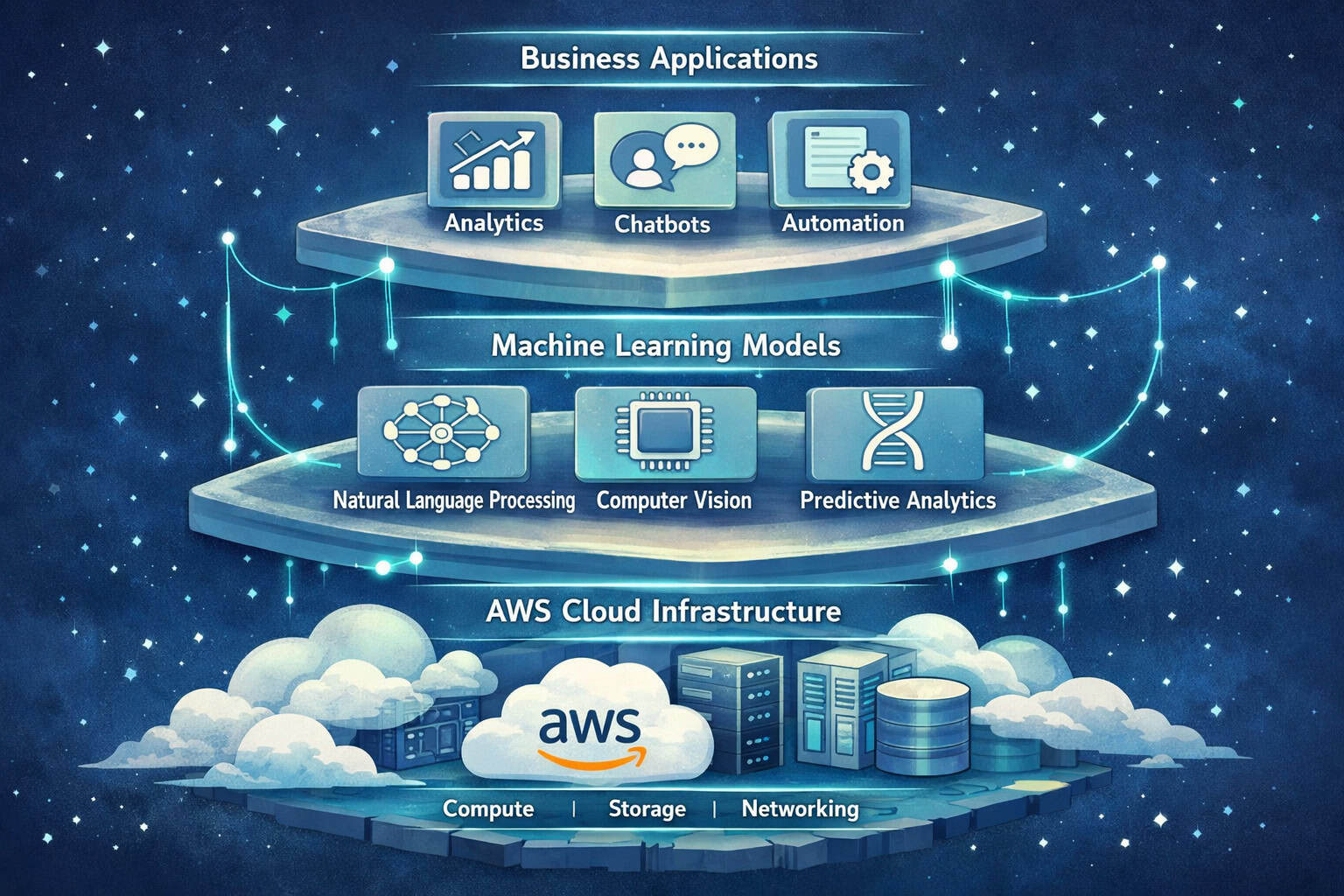
The AWS AI stack is organized into three layers, each targeting a different level of technical complexity.
| Layer | Services | Best For |
|---|---|---|
| AI Services (Pre-built APIs) | Rekognition, Comprehend, Polly, Lex, Translate | Teams with no ML expertise |
| ML Platform | Amazon SageMaker, SageMaker HyperPod | Data science and ML engineering teams |
| Generative AI | Amazon Bedrock, Amazon Q | Developers building LLM-powered applications |
Layer 1: Pre-built AI APIs These are point-and-use services. You send data in, get predictions back. Amazon Rekognition handles image and video analysis. Amazon Comprehend processes text for sentiment, entities, and key phrases. Amazon Lex builds conversational interfaces. No model training required. [7]
Layer 2: The ML Platform Amazon SageMaker is the core ML development environment. It covers data labeling, model training, experiment tracking, and deployment pipelines. SageMaker HyperPod extends this specifically for large-scale distributed training, addressing the hardware optimization and cost management complexity that generative AI models introduce. [4]
Layer 3: Generative AI Amazon Bedrock is a fully managed service that gives developers API access to foundation models from providers including Anthropic, Meta, Mistral, and Amazon’s own Titan models. Amazon Q is AWS’s enterprise AI assistant, designed for business productivity and developer workflows. [5]
Common mistake: Teams often start at Layer 2 when Layer 1 would solve their problem faster and cheaper. Always check whether a pre-built API covers your use case before building a custom model.
What Makes Amazon SageMaker HyperPod a Breakthrough for ML Teams?
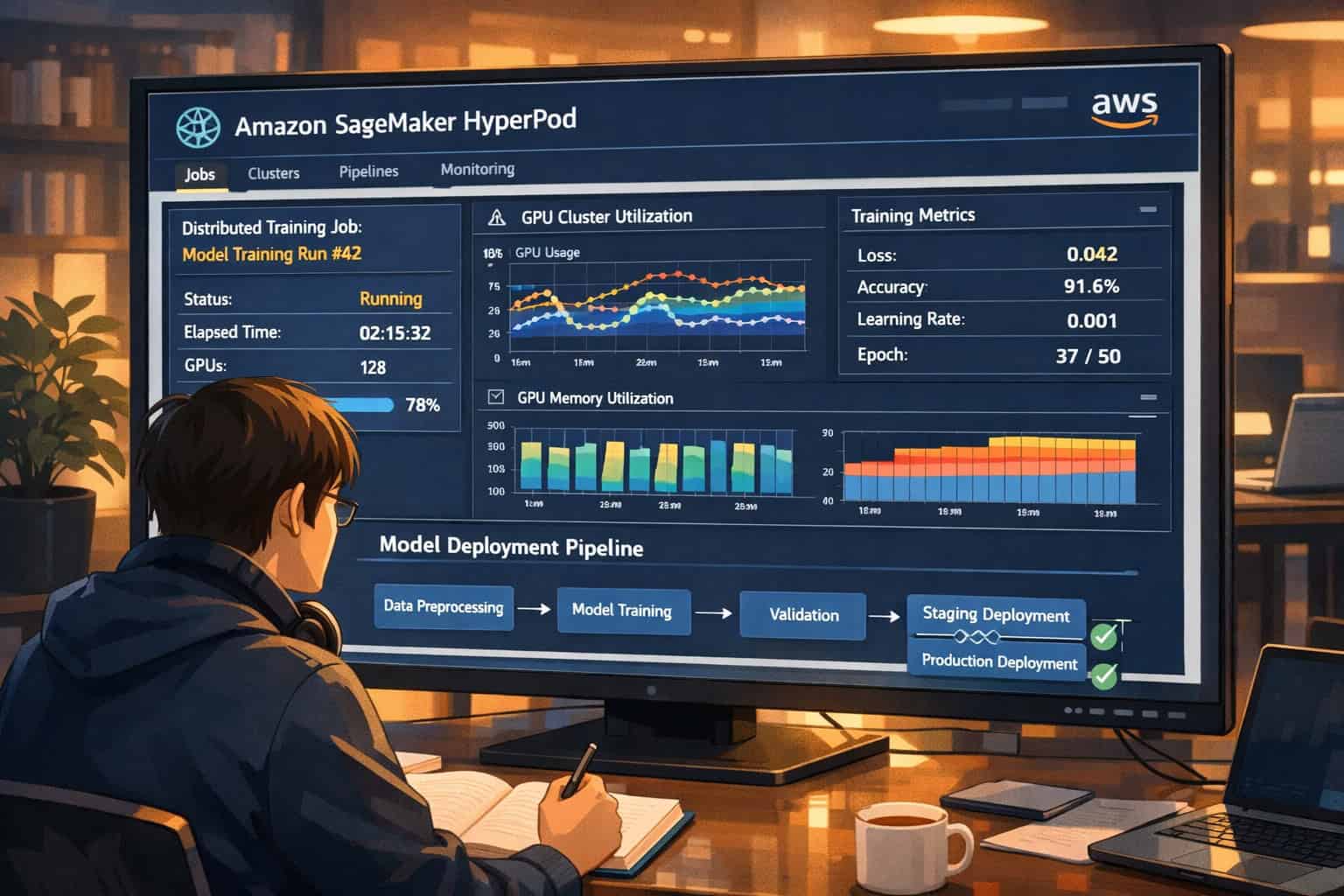
SageMaker HyperPod directly addresses the three hardest problems in large-scale model training: distributed training code complexity, hardware failure resilience, and cost management.
Traditional distributed training requires teams to write complex coordination code across GPU clusters. HyperPod abstracts this away, letting ML engineers focus on model architecture rather than cluster orchestration. [4]
Key capabilities:
- Automatic node health checks that detect and replace faulty instances without stopping training jobs
- Optimized networking between GPU nodes to reduce communication overhead
- Checkpointing that saves training progress so failures don’t mean starting over
- Cost visibility with per-job compute tracking
Choose HyperPod if: Your team is training models with more than a few billion parameters, you’re running multi-day training jobs, or you’ve experienced cluster failures that cost significant compute time.
Choose standard SageMaker if: You’re fine-tuning smaller models, running inference workloads, or your training jobs complete in under a few hours.
The broader principle here matters: AWS’s approach to enterprise AI emphasizes reusing and productionizing models across multiple tasks rather than training new models for every problem. HyperPod makes that reuse cycle faster and cheaper. [1]
AWS AI Tools Compared: Which Service Fits Which Enterprise Use Case?
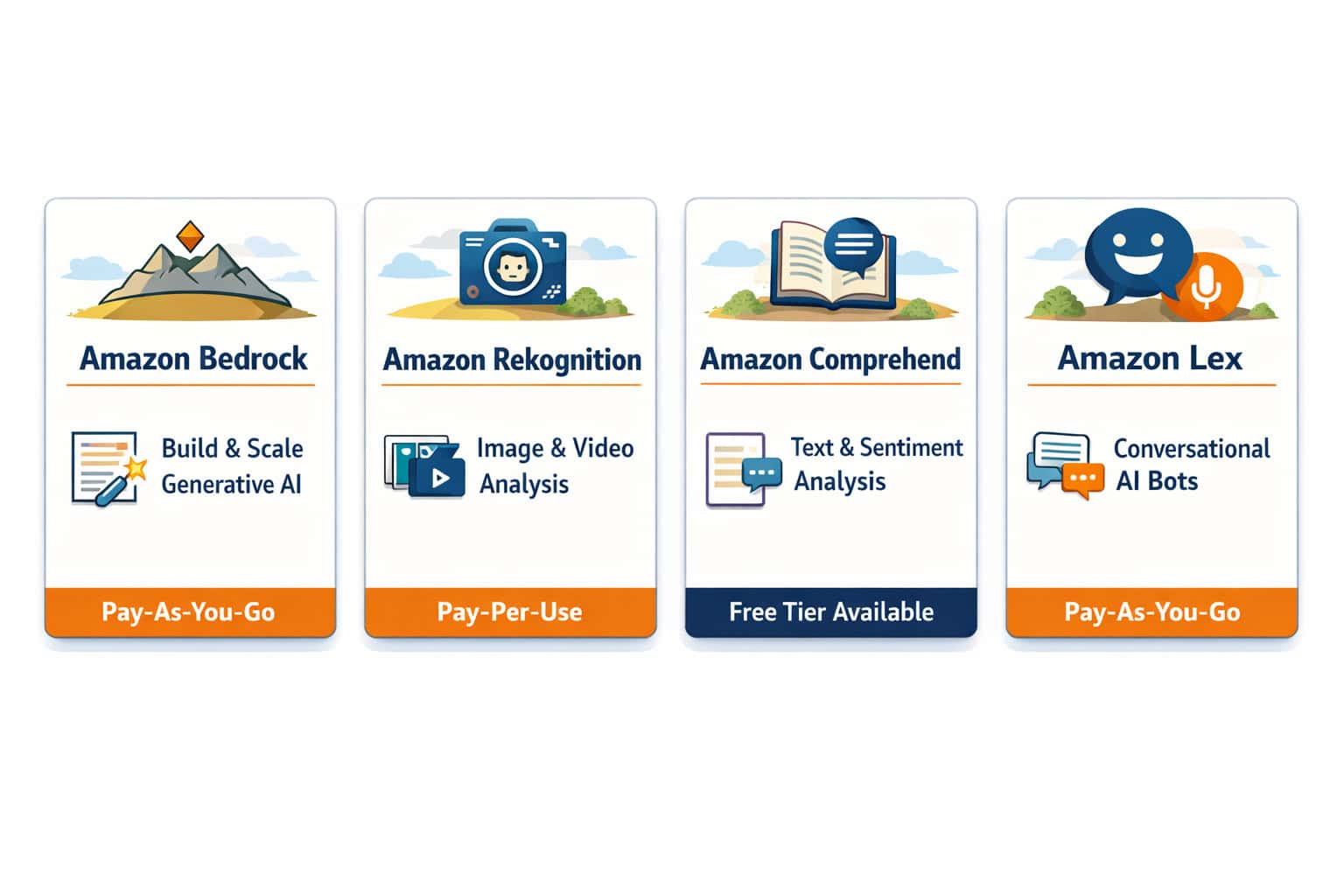
Choosing the right AWS AI service depends on your team’s technical depth, your use case, and your timeline. Here’s a practical breakdown.
Use Amazon Bedrock if:
- You need to build a generative AI application quickly
- You want to compare multiple foundation models (Claude, Llama, Titan) without managing model hosting
- Data privacy is critical — Bedrock doesn’t use your data to train base models [5]
Use Amazon SageMaker if:
- You have a data science team that needs a full ML development environment
- You’re building custom models on proprietary data
- You need MLOps pipelines for model versioning and monitoring
Use Pre-built AI APIs (Rekognition, Comprehend, etc.) if:
- You need a specific AI capability (image tagging, sentiment analysis, speech-to-text) without custom training
- Your team has no ML expertise
- You want the fastest time-to-value
Use Amazon Q if:
- You want an AI assistant integrated with your AWS environment, internal knowledge bases, or developer tools
- You need enterprise search across multiple data sources
Integration example: Teradata’s VantageCloud integrates directly with Amazon SageMaker, allowing data teams to run ML workflows on Teradata’s analytics engine while using SageMaker for model training and deployment. This kind of cross-platform integration is increasingly common in enterprise AI architectures. [2]
For teams building AI-powered web applications, pairing AWS AI services with a solid content pipeline is worth considering. See this comprehensive guide to AI-powered content generation tools for context on how AI content tools complement cloud AI infrastructure.
How Do Enterprises Actually Implement AWS AI Tools: Unleashing Artificial Intelligence for Enterprise Innovation in Practice?
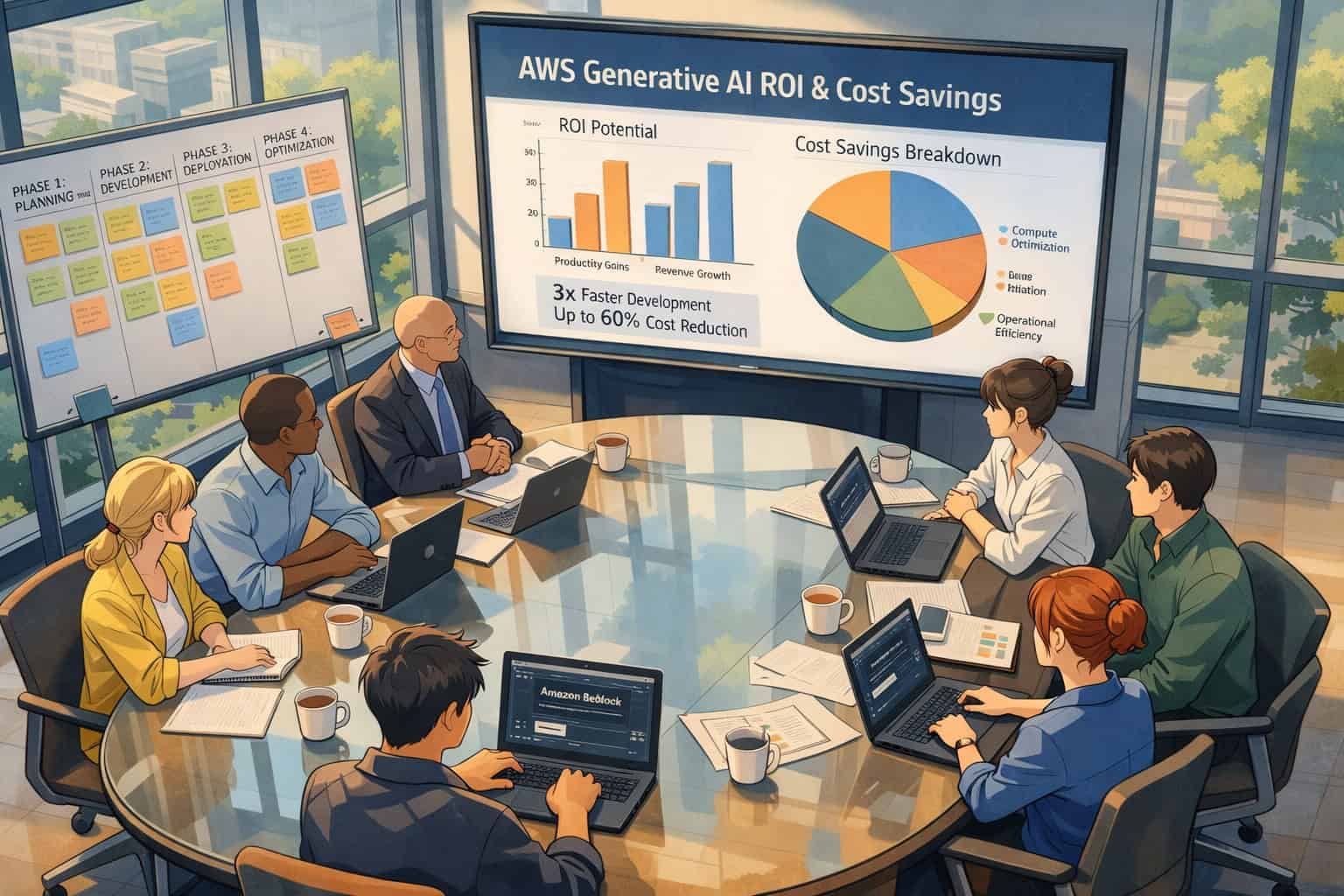
Implementation follows a predictable pattern for most enterprises. The challenge isn’t the technology — it’s the organizational and operational discipline required to move from pilot to production.
Step-by-step implementation framework:
Define the business problem first. Don’t start with “we want to use AI.” Start with a specific, measurable outcome: reduce customer support ticket resolution time by 30%, or automate 80% of invoice classification.
Audit your data. AWS AI tools are only as good as the data you feed them. Assess data quality, availability, and labeling requirements before choosing a service.
Choose the right layer. Match your use case to the appropriate AWS service tier (pre-built API, SageMaker, or Bedrock). Most enterprises waste time building custom models for problems that pre-built APIs already solve.
Prototype fast, measure honestly. AWS’s cloud-native tools allow rapid prototyping. Build a working demo in days, not months. But measure real-world effectiveness, not just demo performance. [10]
Plan for production costs. Inference at scale costs more than prototyping. Model inference pricing varies significantly by model size and call volume. Build cost tracking into your architecture from day one.
Establish MLOps practices. Model performance degrades over time as data distributions shift. SageMaker Model Monitor and similar tools catch this automatically.
Iterate based on production data. The models that work in production are rarely the ones that looked best in the lab.
Common mistake: Treating AI implementation as a one-time project rather than an ongoing operational capability. Dr. Swami Sivasubramanian, VP of AI & Data at AWS, has emphasized that scaling AI to production requires adaptive management and continuous cost discipline, not just technical deployment. [10]
For teams that also want AI to support their digital presence, resources like AI-powered content optimization and AI SEO tools for WordPress show how cloud AI capabilities can extend into marketing and content workflows.
What Are the Security and Compliance Considerations for AWS AI Tools?

Enterprise-grade security is foundational to AWS’s AI offerings, not an optional add-on. This matters because AI workloads often process sensitive customer data, proprietary business information, or regulated content.
Core security features across AWS AI services:
- Data isolation: In Amazon Bedrock, your prompts and completions are not used to train or improve base foundation models. [5]
- VPC integration: AI services can run within your private network, preventing data from traversing the public internet.
- IAM controls: Fine-grained access policies control which users and applications can call which AI services.
- Encryption: Data at rest and in transit is encrypted by default.
- Compliance certifications: AWS maintains certifications for HIPAA, SOC 2, GDPR, and other frameworks relevant to enterprise use.
Compliance decision guide:
| Regulation | Relevant AWS Feature |
|---|---|
| HIPAA | Business Associate Agreement + encrypted storage |
| GDPR | Data residency controls + deletion APIs |
| SOC 2 | Audit logging + access controls |
| FedRAMP | AWS GovCloud regions |
Edge case to watch: When using third-party foundation models through Bedrock, understand that AWS’s data isolation applies to the API layer — but review each model provider’s terms for any additional considerations around data handling.
The combination of security controls, model choice, and a data-first customization approach makes AWS AI tools suitable for regulated industries including healthcare, financial services, and government. [5]
What Does Generative AI on AWS Enable That Traditional ML Cannot?
Generative AI on AWS creates new content and solutions from trained data, rather than simply classifying or predicting from existing data. This is a meaningful functional difference, not just a marketing distinction.
Traditional ML on AWS (SageMaker-based) excels at:
- Classification (is this email spam?)
- Regression (what will this customer spend next month?)
- Anomaly detection (is this transaction fraudulent?)
- Recommendation (what product should we suggest?)
Generative AI on AWS (Bedrock-based) adds:
- Content creation: Drafting marketing copy, summarizing documents, generating code
- Product ideation: Generating new product concepts from design constraints
- Conversational interfaces: Building AI assistants that understand context across a conversation
- Multimodal outputs: Combining text, image, and code generation in a single workflow [3]
Real-world example: A retail company using traditional ML might predict which customers are likely to churn. The same company using generative AI through Bedrock could automatically draft personalized retention emails for each at-risk customer segment, combining the prediction from the ML model with content generation from the LLM.
This combination of predictive ML and generative AI is where AWS AI Tools: Unleashing Artificial Intelligence for Enterprise Innovation delivers its most compelling value for enterprises in 2026.
For teams exploring how AI tools extend into creative and design workflows, the best AI graphic design tools for creative workflows and Canva AI design assistant guides show adjacent applications worth knowing about.
How Much Do AWS AI Tools Cost and How Should Enterprises Budget?
AWS AI pricing follows a consumption model: you pay for what you use, with no upfront commitments required for most services. This is good for experimentation but requires careful planning for production workloads.
Pricing structure by service type:
- Pre-built AI APIs: Priced per API call or per unit of data processed (e.g., per image analyzed, per 1,000 characters of text)
- Amazon SageMaker: Priced per instance-hour for training and hosting, plus storage
- SageMaker HyperPod: Priced per instance-hour for the cluster, with discounts available through Savings Plans
- Amazon Bedrock: Priced per input and output token for on-demand use, or per provisioned throughput unit for consistent workloads
Budgeting principles for enterprises:
- Separate experimentation budgets from production budgets. Prototyping costs are low; production inference at scale is where costs grow.
- Use Savings Plans for predictable workloads. Committing to consistent usage levels reduces SageMaker costs significantly.
- Monitor token consumption in Bedrock. LLM costs scale with prompt length. Shorter, well-structured prompts cost less.
- Reuse models across tasks. Training a new model for every problem is expensive. The enterprise AI principle of model reuse directly reduces costs. [1]
Estimate note: Specific pricing figures change frequently and vary by region. Always check the AWS pricing calculator at aws.amazon.com/pricing for current rates before budgeting a production workload.
Teams building AI-powered websites and digital tools alongside their AWS infrastructure may also find value in no-code website design platforms that integrate with AI backends.
FAQ: AWS AI Tools for Enterprise Innovation
Q: What is the difference between Amazon Bedrock and Amazon SageMaker? Bedrock is for accessing and building with pre-trained foundation models through an API — no model training required. SageMaker is a full ML development platform for teams that need to train, fine-tune, or deploy custom models on their own data.
Q: Does AWS use my data to train its AI models? For Amazon Bedrock, AWS does not use your prompts or outputs to train or improve base foundation models. Data handling policies vary by service, so review the specific terms for any service you use in a regulated environment. [5]
Q: How long does it take to deploy an AI application on AWS? With pre-built APIs or Amazon Bedrock, a working prototype can be ready in days. Production deployments with proper security, monitoring, and MLOps pipelines typically take four to twelve weeks depending on complexity.
Q: Is AWS AI suitable for small and mid-sized businesses, or just large enterprises? AWS AI tools are available to businesses of all sizes. Pre-built APIs and Bedrock have low entry costs and no infrastructure management requirements, making them accessible to SMBs. [8]
Q: What foundation models are available through Amazon Bedrock? As of 2026, Bedrock includes models from Anthropic (Claude), Meta (Llama), Mistral, Cohere, Stability AI, and Amazon’s own Titan models. The available model list expands regularly. [5]
Q: How does AWS handle AI security for regulated industries? AWS maintains compliance certifications including HIPAA, SOC 2, GDPR, and FedRAMP. AI services support VPC deployment, encryption at rest and in transit, and IAM-based access controls. [5]
Q: What is Amazon Q and how is it different from Bedrock? Amazon Q is an enterprise AI assistant designed for productivity and developer workflows — think AI-powered search across internal documents, code generation in IDEs, and AWS console assistance. Bedrock is the platform for building custom AI applications. They serve different audiences.
Q: Can I integrate AWS AI tools with non-AWS systems? Yes. AWS AI services expose standard REST APIs and support integrations with databases, data warehouses, and third-party platforms. Teradata’s VantageCloud integration with SageMaker is one example of a major enterprise data platform connecting to AWS AI infrastructure. [2]
Q: What is the biggest mistake enterprises make when adopting AWS AI tools? Starting with the most complex service (custom model training) when a pre-built API or foundation model would solve the problem faster and cheaper. Always match the tool to the actual requirement, not to what sounds most technically impressive.
Q: How do I control costs when using Amazon Bedrock at scale? Use provisioned throughput for predictable workloads (cheaper than on-demand at scale), optimize prompt length to reduce token consumption, and implement caching for repeated queries. Monitor token usage with AWS Cost Explorer.
Conclusion: Your Next Steps with AWS AI Tools
AWS AI Tools: Unleashing Artificial Intelligence for Enterprise Innovation in 2026 comes down to one practical truth: the platform has matured enough that the barrier is no longer technology — it’s organizational readiness and use case clarity.
Actionable next steps:
Start with a specific problem, not a technology. Pick one workflow where AI could measurably improve speed, accuracy, or cost. Define success before you build.
Use the service selector above to identify whether Amazon Bedrock, SageMaker, or a pre-built API fits your team’s expertise and timeline.
Run a time-boxed prototype. Give yourself two to four weeks to build something working. If you can’t demonstrate value in that window, the use case or data quality needs re-evaluation.
Build cost tracking in from day one. Tag your AI workloads in AWS Cost Explorer and set budget alerts before you scale.
Plan for production, not just the demo. Establish model monitoring, retraining triggers, and incident response processes before you go live.
Explore the broader AI ecosystem. AWS AI tools pair well with content, design, and marketing AI tools. Resources like the AI category on WebAiStack and automation tools can help you build a complete AI-powered workflow beyond the cloud infrastructure layer.
The enterprises getting the most value from AWS AI aren’t the ones with the biggest budgets — they’re the ones with the clearest problems and the discipline to move from prototype to production without losing focus.
References
[1] Enterprise AI – https://aws.amazon.com/what-is/enterprise-ai/ [2] Unleash AI Innovation Across The Enterprise With Teradata And AWS – https://www.teradata.com/resources/webinars/unleash-ai-innovation-across-the-enterprise-with-teradata-and-aws [3] Generative AI For C Suite Leaders Driving Innovation And Business Transformation – https://blog.clearscale.com/generative-ai-for-c-suite-leaders-driving-innovation-and-business-transformation/ [4] Unleash AI Innovation With Amazon SageMaker HyperPod – https://aws.amazon.com/blogs/machine-learning/unleash-ai-innovation-with-amazon-sagemaker-hyperpod/ [5] Announcing New Tools To Help Every Business Embrace Generative AI – https://aws.amazon.com/blogs/machine-learning/announcing-new-tools-to-help-every-business-embrace-generative-ai/ [7] AWS AI Services – https://aws.amazon.com/ai/services/ [8] Artificial Intelligence Small Medium Business – https://aws.amazon.com/smart-business/solutions/artificial-intelligence-small-medium-business/ [10] AWS AI Fireside Chat – https://www.youtube.com/watch?v=BvmMNB5UpuA