Last updated: May 10, 2026
Quick Answer
Replit’s AI-powered cloud IDE can drain your budget and stall your projects if you don’t configure it properly. The 5 proven strategies to unblock and maximize your Replit development experience are: (1) plan externally before prompting, (2) control Agent autonomy and modes, (3) enable code optimizations, (4) use the new Security Center for vulnerability management, and (5) set hard spend limits from day one. Together, these steps cut wasted AI cycles, reduce costs, and keep your builds moving forward.
Key Takeaways
- Plan your project with an external LLM (like ChatGPT or Claude) before giving Replit Agent instructions. This prevents hallucinated features and wasted tokens.
- Use Plan Mode first, then Fast Mode for edits. Skipping the planning step is the most common reason Agent burns through credits.
- Enable Code Optimizations in Agent settings to get better output from Economy and Power modes [6].
- Replit’s Security Center 2.0 (May 2026) lets you bulk-fix dependency vulnerabilities across projects instead of patching one by one [6].
- Set a spend limit of $8–$10 early to avoid surprise bills. Some users have reported spending $700+ in a single month without limits [8].
- Replit now serves 85% of Fortune 500 companies and projects $1B in run-rate revenue by end of 2026 [2].
- For large or enterprise-grade projects, consider GitHub Codespaces as a complement or alternative, since it offers 60 free hours per month and full VS Code support.
Why Do Replit Projects Get Stuck (and Cost So Much)?
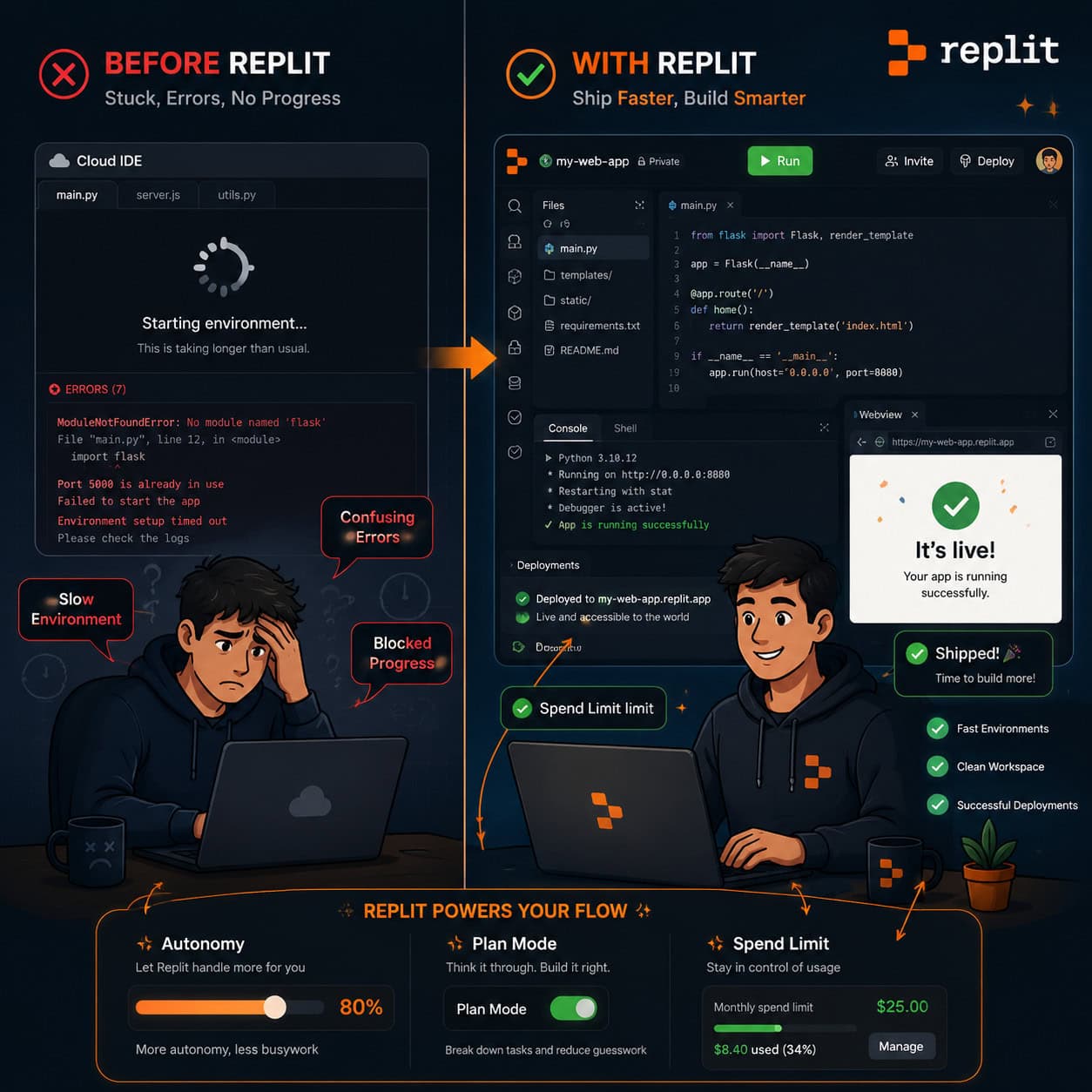
Most Replit frustrations come from two sources: the AI Agent doing too much without direction, and developers not using the platform’s newer configuration options.
Replit has evolved fast. In March 2026, the company announced Replit Agent 4 alongside a $400M funding round at a $9B valuation [1][2]. The Agent can now build web apps, mobile apps, and dashboards from natural language prompts. But more power means more ways to burn credits on code you didn’t ask for.
Common blockers include:
- Agent hallucinations: The AI adds features, installs packages, or rewrites files you didn’t request.
- Runaway costs: Without spend limits, Agent sessions can rack up charges quickly. One Reddit user documented spending $700 in a month [8].
- Dependency vulnerabilities: Outdated packages block deployments or trigger security warnings.
- Slow performance: Large projects can lag in the browser-based editor, especially on free or lower-tier plans.
Understanding these blockers is the first step. The 5 proven strategies to unblock and maximize your Replit development experience address each one directly.
Strategy 1: Plan Your Build Outside Replit Before You Prompt
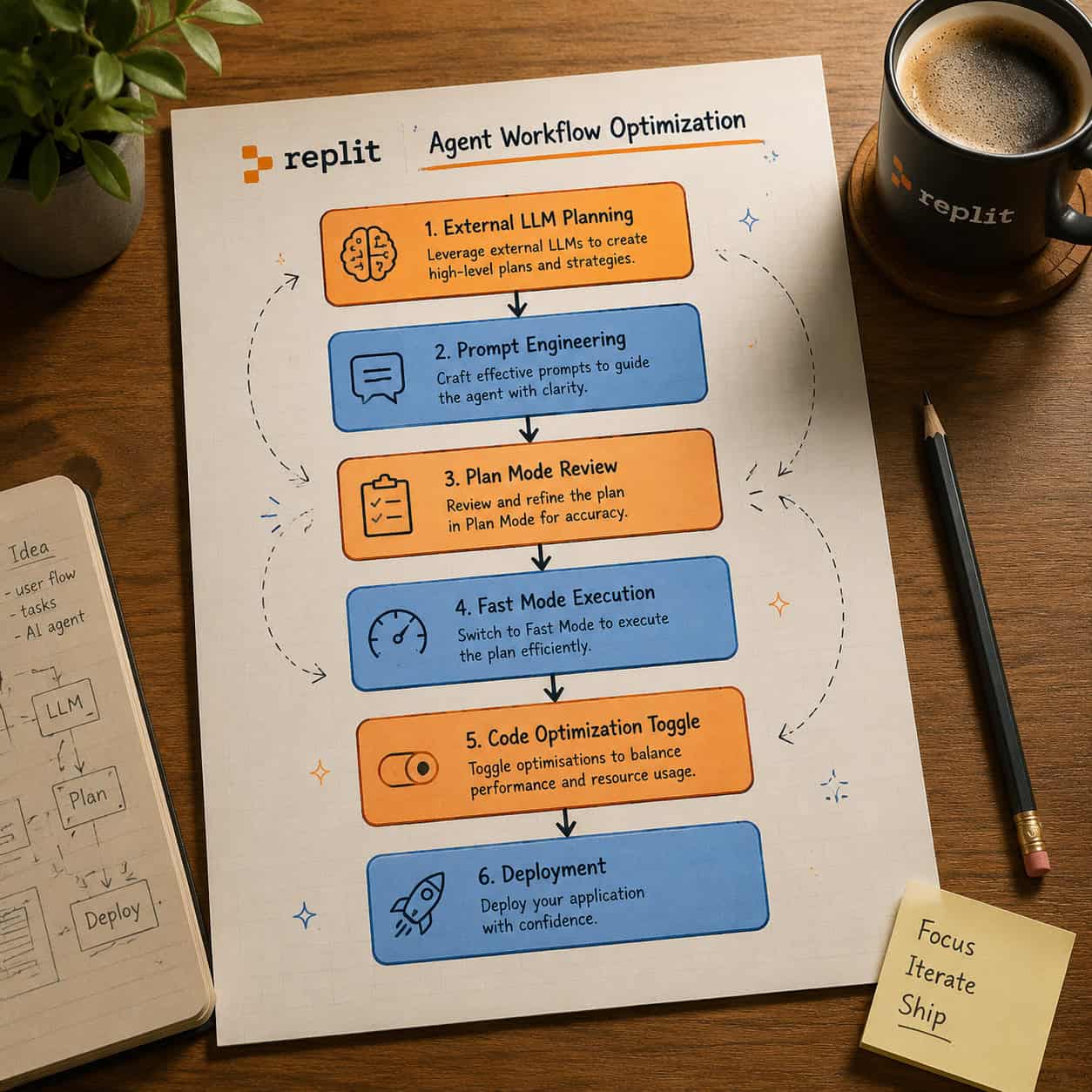
The single highest-impact thing you can do is plan your project structure with an external AI tool before opening Replit Agent.
Here’s why: Replit Agent interprets your prompt and makes dozens of decisions about file structure, dependencies, and architecture. If your prompt is vague, the Agent fills in the gaps with assumptions, and those assumptions cost tokens whether they’re right or wrong.
How to do it:
- Open ChatGPT, Claude, or another LLM.
- Describe your project in detail: tech stack, pages/screens, database schema, API endpoints.
- Ask the LLM to generate a structured project plan with file names and dependencies.
- Copy that plan into your Replit Agent prompt as explicit instructions.
A useful prompt pattern is to tell Agent: “Don’t do anything yet. Review this plan and confirm you understand before writing any code.” This forces a sanity check before any credits are spent.
This approach works especially well if you’re building prototypes or MVPs. As Till Freitag noted in his 2026 platform review, Replit excels as an all-in-one browser IDE for prototypes and solo developers [7]. Planning externally plays to that strength.
If you’re working on design-to-development workflows, you might also benefit from streamlining your Figma-to-code pipeline before jumping into Replit.
Strategy 2: Master Agent Modes and Autonomy Settings
Replit Agent has distinct modes that control how it behaves. Using the wrong mode at the wrong time is the fastest way to waste money and get unwanted code changes.
The key modes:
| Mode | Best For | Cost Impact |
|---|---|---|
| Plan Mode | Reviewing Agent’s approach before execution | Low (no code written) |
| Fast Mode | Quick edits and small changes | Medium |
| Economy Mode | Budget-conscious development | Lower per-token cost |
| Power Mode | Complex multi-file operations | Higher per-token cost |
Decision rules:
- Choose Plan Mode first for any new feature or significant change. Review the Agent’s proposed approach, then approve or correct it before it writes code.
- Choose Fast Mode for targeted edits like fixing a bug, changing a style, or updating a single function.
- Set autonomy to low when you want tight control. High autonomy lets Agent make more decisions independently, which is useful for experienced users but risky for beginners.
- Disable automatic app testing if you’re just iterating on code. Testing after every change adds cycles and cost.
This combination of Plan Mode plus low autonomy is what experienced Replit users consistently recommend for cost control.
Strategy 3: Enable Code Optimizations in Agent Settings
This is a simple toggle that many developers miss. As of April 30, 2026, Replit’s documentation highlights the Code Optimizations setting in Agent preferences [6].
What it does: When enabled, the Agent produces cleaner, more efficient code in both Economy and Power modes. It reduces redundant operations, avoids unnecessary file rewrites, and generates tighter output.
How to enable it:
- Open your Replit workspace.
- Go to Settings > Agent.
- Toggle Code Optimizations to on.
That’s it. There’s no downside to enabling this for most projects. The only edge case where you might disable it is if you’re intentionally generating verbose, heavily commented code for educational purposes.
This strategy pairs well with the broader goal of building professional sites without traditional coding, since cleaner Agent output means fewer manual fixes.
Strategy 4: Use Security Center 2.0 for Bulk Vulnerability Management
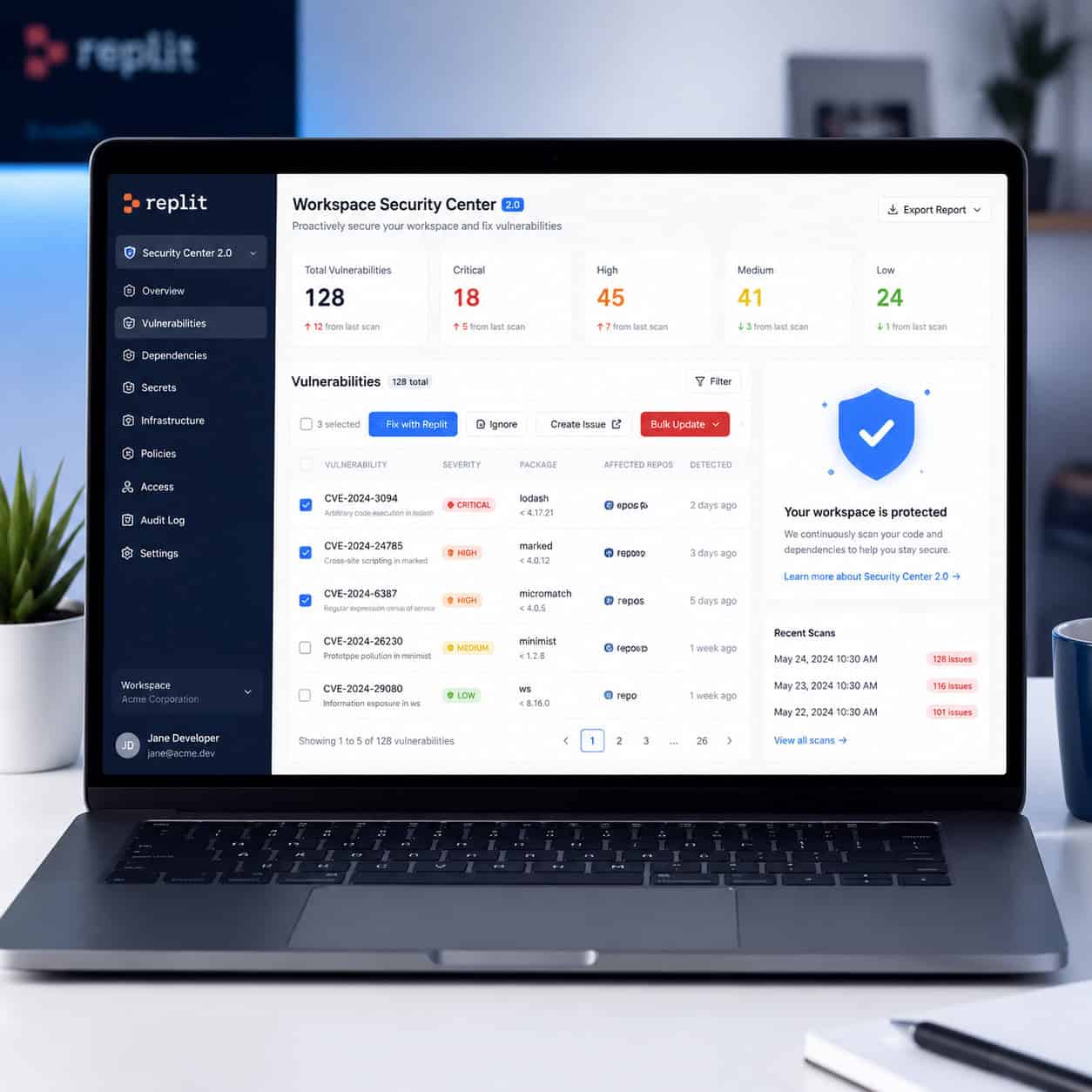
Security issues are a common blocker, especially when deploying. Replit’s Workspace Security Center 2.0, updated on May 7, 2026, now supports bulk actions on dependency vulnerabilities across projects [6].
Before this update, you had to fix vulnerabilities one project at a time. Now you can:
- Scan all projects for known CVEs (Common Vulnerabilities and Exposures).
- Apply bulk patches across multiple projects simultaneously.
- Use CVE Auto-Protect (launched April 24, 2026) to automatically patch critical vulnerabilities without manual intervention [9].
- Run Security Agent for deeper codebase reviews that go beyond dependency scanning [9].
When this matters most: If you’re managing multiple Replit projects or deploying to production, unresolved vulnerabilities can block your deployment pipeline entirely. The Security Center turns a multi-hour manual process into a few clicks.
For developers who also work with WordPress, similar security automation principles apply. You can explore AI plugins for WordPress that automate website management for comparable protection on that platform.
Strategy 5: Set Spend Limits and Monitor Usage From Day One
Replit’s pricing has changed significantly. The Core plan costs $25/month, free hosting is no longer available, and deployments are paid [2]. Without guardrails, AI Agent usage can spike your bill fast.
Set these limits immediately:
- Go to your billing settings and set a hard monthly spend cap. A range of $8–$10 for Agent usage is a reasonable starting point for solo developers.
- Review your usage dashboard weekly. Replit shows token consumption per session.
- Use Economy Mode as your default and switch to Power Mode only for complex tasks that genuinely need it.
Common mistake: Starting a new project on Power Mode with high autonomy and no spend limit. This is how $700 months happen [8].
Cost comparison with alternatives:
| Platform | Free Tier | Paid Starting Price | Best For |
|---|---|---|---|
| Replit Core | Limited (no hosting) | $25/month + usage | AI-assisted prototyping, solo devs |
| GitHub Codespaces | 60 hours/month | $0 (free tier sufficient for many) | Large projects, VS Code users |
| Gitpod | 50 hours/month | $9/month | Open-source, team workflows |
If you find Replit’s costs don’t fit your workflow, GitHub Codespaces is the most direct alternative. It provides a full VS Code environment, integrates natively with GitHub repositories, and avoids vendor lock-in. That said, Replit’s AI Agent capabilities remain unmatched for natural-language-driven development.
For those exploring other no-code and low-code platforms, our guide to the 11 best no-coding website design software platforms for 2026 covers additional options.
Who Are These Strategies For (and Not For)?
These 5 proven strategies to unblock and maximize your Replit development experience work best for:
- Solo developers and freelancers building prototypes or client projects.
- Non-technical founders using Replit Agent to build MVPs.
- Students learning to code with AI assistance.
- Small teams that don’t need enterprise-grade CI/CD pipelines.
These strategies are less relevant if:
- You’re on a large engineering team with existing DevOps infrastructure. Enterprise teams typically need more control than Replit currently offers [7].
- Your project requires heavy local tooling, custom Docker configurations, or GPU compute.
- You’re already comfortable with VS Code + GitHub Codespaces and don’t need AI Agent features.
If you’re working on content-heavy projects alongside your development work, AI-powered content generation tools can complement your Replit workflow for copy and documentation.
FAQ
How much does Replit cost in 2026? The Core plan is $25/month. Agent usage, deployments, and compute are billed separately based on consumption. There is no longer a free hosting tier [2].
What is Replit Agent 4? Released in March 2026, Agent 4 can build web apps, mobile apps, and dashboards from natural language prompts. It represents a major upgrade in multi-file project generation [1].
Can I use Replit for free? You can use the editor for free with limited features, but hosting, deployments, and significant Agent usage require a paid plan.
What’s the best Replit alternative? GitHub Codespaces is the closest alternative for cloud-based development. It offers 60 free hours per month, full VS Code support, and native GitHub integration.
How do I stop Replit Agent from wasting credits? Use Plan Mode before execution, set autonomy to low, disable automatic app testing, and set a hard monthly spend limit in billing settings.
What is CVE Auto-Protect? Launched April 24, 2026, it automatically patches critical security vulnerabilities in your Replit projects without manual intervention [9].
Is Replit good for professional development? Yes, for prototyping, MVPs, and solo projects. For large-scale enterprise development with complex CI/CD needs, dedicated tools like GitHub Codespaces or local setups are typically better [7].
Does enabling Code Optimizations affect my code quality? It generally improves output quality by reducing redundancy. There’s no known downside for standard development workflows [6].
Conclusion
These five strategies address the most common pain points Replit developers face in 2026: runaway costs, Agent hallucinations, security blockers, and inefficient workflows.
Your action plan for this week:
- Set a spend limit in your Replit billing settings right now.
- Enable Code Optimizations in Agent settings.
- Run Security Center 2.0 across all your active projects.
- Before your next build, draft a full project plan in an external LLM and paste it into your Agent prompt.
- Default to Plan Mode + low autonomy for every new feature.
These aren’t theoretical suggestions. They’re the same practices that experienced Replit users rely on to ship projects without budget surprises. Start with the spend limit, since that single change protects you while you implement everything else.
For more development and AI-driven workflow strategies, explore our full library of guides on web development tools and platforms.
References
[1] blog.replit – https://blog.replit.com [2] News – https://replit.com/news [6] Changelog – https://docs.replit.com/updates/2026/05/08/changelog [7] Replit 2026 Platform En – https://till-freitag.com/en/blog/replit-2026-platform-en [8] Ive Spent 700 This Month On Replitheres Why I – https://www.reddit.com/r/replit/comments/1reua1i/ive_spent_700_this_month_on_replitheres_why_i/ [9] Replit – https://releasebot.io/updates/replit