Last updated: May 11, 2026
Quick Answer
Base44’s free plan gives you 25 message credits per month and 100 integration credits to build functional web apps using plain English prompts — no coding required. It’s best suited for validating a single app idea or learning AI-assisted development, but the daily 5-message cap and Base44 branding make it impractical for production use. Think of it as a zero-risk sandbox where you can test whether your concept works before spending money.
Key Takeaways
- 25 message credits/month generate roughly one simple app from scratch [1]
- 100 integration credits cover about 100 LLM calls or API interactions per month [2]
- Daily cap of 5 messages limits how much debugging you can do in a single session
- Apps deploy on a Base44 subdomain with platform branding (no custom domain on free)
- Best for: idea validation, learning vibe-coding, building simple prototypes
- Not for: production apps, client work, complex multi-page applications
- Base44 reached $100M ARR by March 2026 after its Wix acquisition, signaling long-term platform stability [7]
- Compared to Bubble or Webflow free tiers, Base44 trades larger resource limits for dramatically faster prompt-to-app speed
- Upgrading to the Starter plan ($16/month annual) unlocks 100 messages and removes branding [5]
What Exactly Do You Get on Base44’s Free Plan?
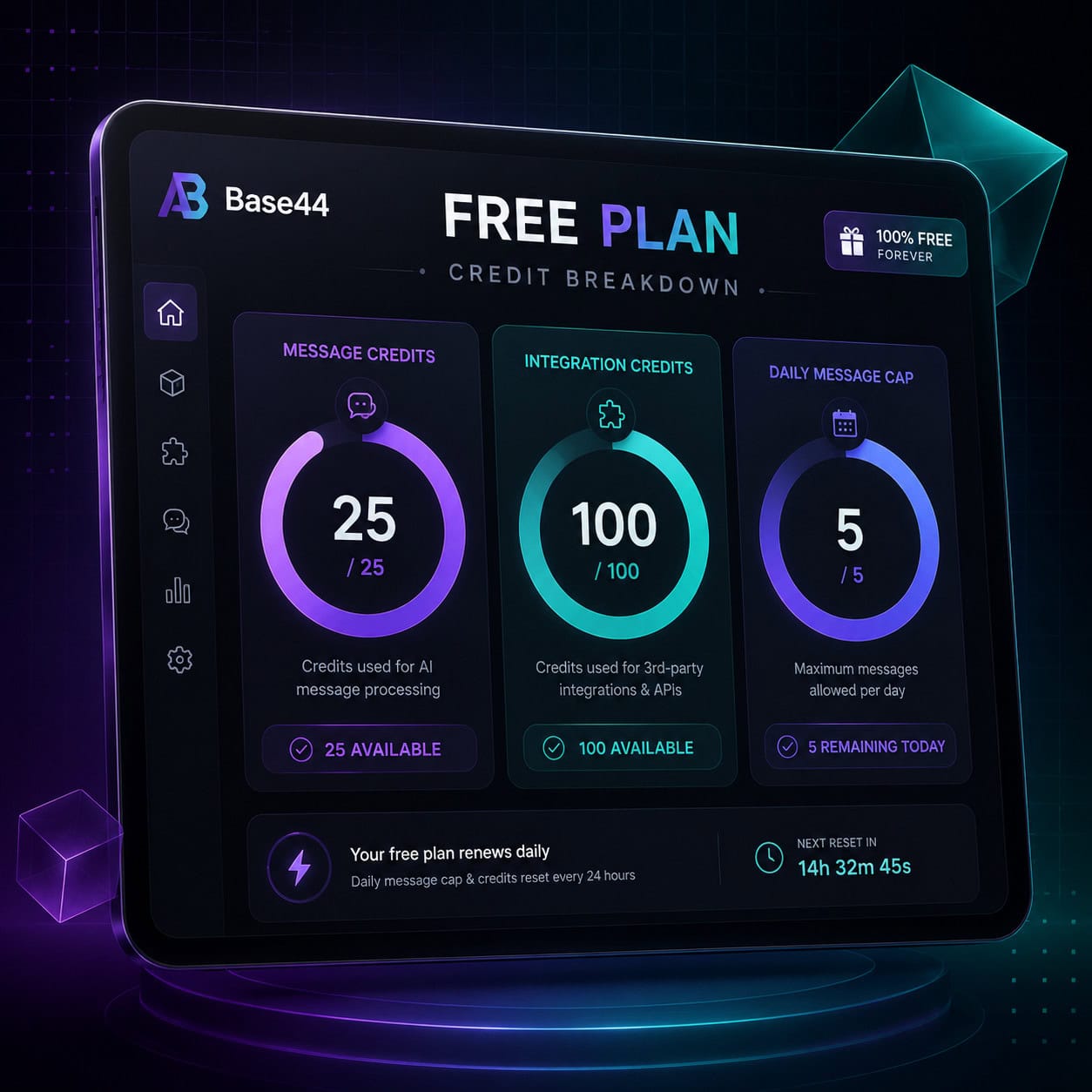
Base44’s free tier provides enough resources to build and deploy one simple application per month. Here’s the full breakdown of what’s included [1][2]:
| Feature | Free Plan | Starter ($16/mo) |
|---|---|---|
| Message credits/month | 25 | 100 |
| Integration credits/month | 100 | 500 |
| Daily message cap | 5 | 20 |
| Custom domain | No | Yes |
| Base44 branding | Yes | Removed |
| Deployed apps | 1 | 3 |
| Database rows | 1,000 | 10,000 |
What counts as a “message credit”? Each prompt you send to Base44’s AI builder uses one credit. That includes your initial app description, follow-up modifications, bug fixes, and feature additions. A simple app might take 10-15 messages to build; a more complex one can burn through 25 credits during debugging alone [3].
Integration credits cover backend operations: LLM API calls, external service connections, and automated workflows your app performs after deployment.
Common mistake: Treating message credits like chat messages. Every single interaction with the builder costs a credit, so vague prompts like “make it look better” waste resources. Write detailed, specific prompts to maximize each credit.
Who Should Actually Use the Free Plan?
The free plan works for three specific groups — and falls short for everyone else.
Choose the free plan if you are:
- A first-time builder testing whether AI-generated apps match your expectations. You’ll learn how prompt-to-app workflows function without financial risk.
- An entrepreneur validating a concept. You can generate a working prototype in minutes to show potential users or co-founders [10].
- A developer exploring vibe-coding. One Reddit user committed to building one free-plan app per week via YouTube to practice prompt engineering [4].
Skip the free plan if you need:
- Client-facing apps (branding and subdomain limitations)
- Complex logic with multiple database tables
- Iterative debugging sessions (the 5-message daily cap blocks this)
- Apps handling real user data at scale
George Vlasyev’s May 2026 review praised the free plan for quick app generation with live previews but noted that credits deplete fast during debugging, making it better for validation than production [3]. If you’re exploring no-code platforms more broadly, our guide to the best no-coding website design software covers additional options.
How Does Base44’s Free Plan Compare to Alternatives?
Base44’s free tier wins on speed but loses on resource limits and design polish. Here’s how it stacks up against the main alternatives:
vs. Lovable (AI-native competitor)
- Lovable offers better UI polish and full code ownership
- Similar credit-based system
- Base44 wins on integrated backend; Lovable wins on frontend design quality and code portability
vs. Bolt.new (frontend-focused)
- Comparable credit structure
- Bolt focuses on frontend components
- Base44 provides more complete full-stack generation
vs. Bubble (traditional no-code)
- Bubble’s free tier has no credit cap — you can build indefinitely
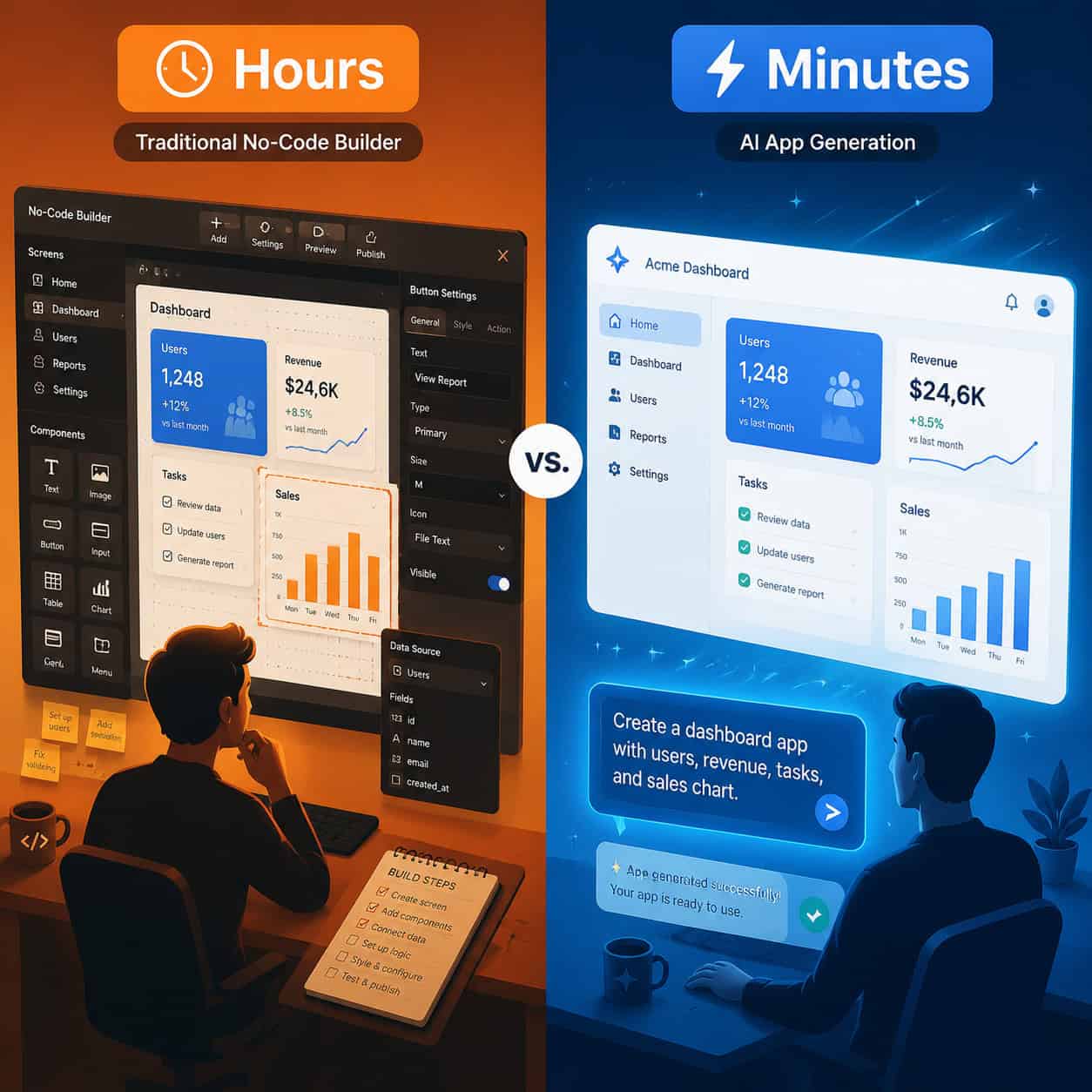
- But Bubble requires manual setup: hours of drag-and-drop versus minutes of prompting
- Bubble free includes branding and subdomain restrictions too
- Reddit users note that alternatives like Antigravity charge more post-trial, making Base44 free a lower-risk entry point [9]
vs. Webflow (design-focused no-code)
- Webflow’s free plan offers more generous hosting but requires design skills
- Base44 requires zero design or coding knowledge [10]
- For those interested in Webflow’s approach, see our Webflow SEO optimization guide
Decision rule: Choose Base44 free if speed-to-prototype matters most. Choose Bubble free if you need to iterate extensively without credit pressure. Choose Lovable if design quality and code export are priorities.
How to Maximize Your 25 Monthly Credits
With only 25 messages and a daily cap of 5, every prompt matters. Here’s a strategy that works:
Step 1: Plan before you prompt Write out your entire app specification before opening Base44. Include:
- Core features (3 maximum for free tier)
- Database structure (tables, fields, relationships)
- User flow (what happens when someone uses the app)
Step 2: Front-load detail in your first prompt Your initial message should be comprehensive. Instead of “build me a task manager,” write: “Build a task management app with a dashboard showing tasks in three columns (To Do, In Progress, Done), a form to add tasks with title, description, due date, and priority fields, and the ability to drag tasks between columns.” One detailed prompt can replace 5 vague ones.
Step 3: Batch your changes Don’t send one change per message. Collect 3-5 modifications and submit them together: “Change the header color to blue, add a search bar above the task list, and include a delete button on each task card.”
Step 4: Use the daily cap strategically Spread your 5 daily messages across the month. That gives you 150 potential interactions (5 × 30 days), though you’re still capped at 25 total credits monthly [1].
Step 5: Save credits for debugging Reserve at least 5-8 credits for fixing issues after your initial build. Debugging consumes credits faster than building, according to multiple user reports [3].
If you’re also using AI tools for content alongside your app, our guide to AI-powered content generation tools can help you stretch resources further.
What Are the Real Limitations You’ll Hit?
Zite’s analysis calls the free plan a “sandbox for learning” — accurate, but worth unpacking what that means in practice [9].
Hard limitations:
- Base44 subdomain (yourapp.base44.app) — no custom domains
- Platform branding visible to all users
- 1,000 database row limit restricts data-heavy apps
- No team collaboration features
- Limited to 1 deployed app at a time
Practical limitations:
- The 5-message daily cap means you can’t finish a complex app in one sitting
- Credit depletion during debugging forces you to wait until the next day or next month
- No code export — your app lives on Base44’s infrastructure
- Integration credits run out quickly if your app makes frequent API calls
Edge case: If your app goes viral on the free plan, you’ll hit the database row limit fast. There’s no graceful degradation — the app simply stops accepting new data. Plan your upgrade path before sharing publicly.
For entrepreneurs building alongside their app, tools like AI website creators can complement your Base44 prototype with a proper marketing site.

When Should You Upgrade from Free to Paid?
Upgrade when any of these become true:
- You’ve validated your idea and want to remove branding before showing users
- You need more than 1,000 database rows
- Your debugging needs exceed 25 credits monthly
- You want a custom domain for credibility
- You’re ready to build a second or third app
The Starter plan at $16/month (billed annually) gives you 4x the message credits, 5x the integration credits, and removes the branding that signals “this is a prototype” to visitors [5]. That’s significantly cheaper than most competitors’ entry-level paid plans, which typically start at $20-50/month.
Don’t upgrade if you’re still exploring whether Base44 is the right platform. The free plan exists specifically so you can make that decision without financial commitment.
How Does Base44 Build Apps from Plain English?
PCMag describes Base44 as enabling “plain English” app building for non-coders [10]. The process works like this:
- You describe what you want in natural language
- Base44’s AI interprets your description and generates frontend, backend, and database code
- A live preview appears in real-time as the app builds
- You refine through follow-up prompts
- One click deploys the app to a live URL
This is what the community calls “vibe coding” — you describe the vibe of what you want, and AI handles the technical implementation. The free plan lets you experience this full workflow, just with tighter resource constraints.
For those coming from a design background, you might find our Figma to code plugins guide useful for understanding how design-to-development workflows compare.
Is Base44 Stable Enough to Build On?
Platform stability matters when you’re investing time in learning a tool. Base44 reached $100M ARR by March 2026 following its acquisition by Wix [7]. As of April 2026, over 1,374 sites use Base44 technology, with the highest adoption in the US and Brazil [7]. The platform’s April 26, 2026 changelog focused on AI upgrades and workspace improvements, showing active development.
LowCode Agency (May 2026) positions the free tier as a speed advantage for solo developers compared to manual no-code tools [10]. The platform isn’t going anywhere — but your free-plan app depends on Base44’s continued support of that tier.
For broader context on AI-powered development tools, our AI-powered content optimization guide covers how AI tools are changing creative workflows across the industry.
Conclusion
Base44’s free plan is a focused validation tool, not a production environment. You get enough resources to build one simple app, test whether AI-generated development matches your needs, and decide if the platform deserves your money. The 25 monthly credits and 5-message daily cap force discipline — which, counterintuitively, teaches you to write better prompts.
Your next steps:
- Write a detailed spec for one app idea before signing up
- Create your free account at base44.com [2]
- Use your first 15 credits to build the initial version
- Reserve 10 credits for refinement and debugging
- Share the prototype with 3-5 potential users for feedback
- Decide whether to upgrade based on real user response, not assumptions
The free plan works best as a 30-day experiment. Set that timeframe, build something specific, and let actual results guide your next move.
FAQ
How many apps can I build on Base44’s free plan? You can deploy 1 app at a time. You could technically delete and rebuild, but with only 25 credits monthly, you’ll realistically complete one simple app per month [1].
Do my credits roll over to the next month? No. Unused message and integration credits reset each billing cycle. Use them or lose them.
Can I use Base44 free for client work? Technically yes, but practically no. The Base44 branding and subdomain make it unprofessional for client delivery. Upgrade to Starter ($16/month) minimum for client projects [5].
What happens when I run out of credits mid-build? Your existing app stays deployed and functional. You simply can’t send new prompts to modify it until credits refresh next month or you upgrade.
Is the free plan time-limited? No. It’s not a trial — you can use it indefinitely with the same monthly credit allocation [1][2].
Can I export my code from the free plan? No. Code export is not available on any Base44 plan currently. Your app lives on Base44’s infrastructure. This is a key difference from competitors like Lovable.
What’s the difference between message credits and integration credits? Message credits are for building (prompting the AI). Integration credits are for running (API calls, LLM operations, and automations your deployed app performs) [1].
How complex can my free-plan app be? Aim for 2-3 core features maximum. A simple CRUD app (create, read, update, delete) with one database table is realistic. Multi-table apps with complex logic will exhaust credits during debugging [3][9].
Does Base44 free include a database? Yes. You get a built-in database with up to 1,000 rows on the free plan [1].
Can multiple people use my free-plan app? Yes. Once deployed, your app is publicly accessible. The 1,000 row database limit is the practical constraint on user volume.
References
[1] Pricing – https://base44.com/pricing [2] base44 – https://base44.com [3] I Vibe Coded An App In Base44 Heres What I Learned 31695c9ed745 – https://ehandbook.com/i-vibe-coded-an-app-in-base44-heres-what-i-learned-31695c9ed745 [4] Im Building One Base44 App Idea For Free Every – https://www.reddit.com/r/Base44/comments/1t18rgo/im_building_one_base44_app_idea_for_free_every/ [5] How Much Does Base44 Cost – https://base44.com/blog/how-much-does-base44-cost [7] Bkqq0pry11e – https://www.calcalistech.com/ctechnews/article/bkqq0pry11e [9] Base44 Pricing – https://www.zite.com/blog/base44-pricing [10] The Power Of Plain English Build Professional Apps With Base44 – https://www.pcmag.com/articles/the-power-of-plain-english-build-professional-apps-with-base44