Last updated: May 7, 2026
Quick Answer
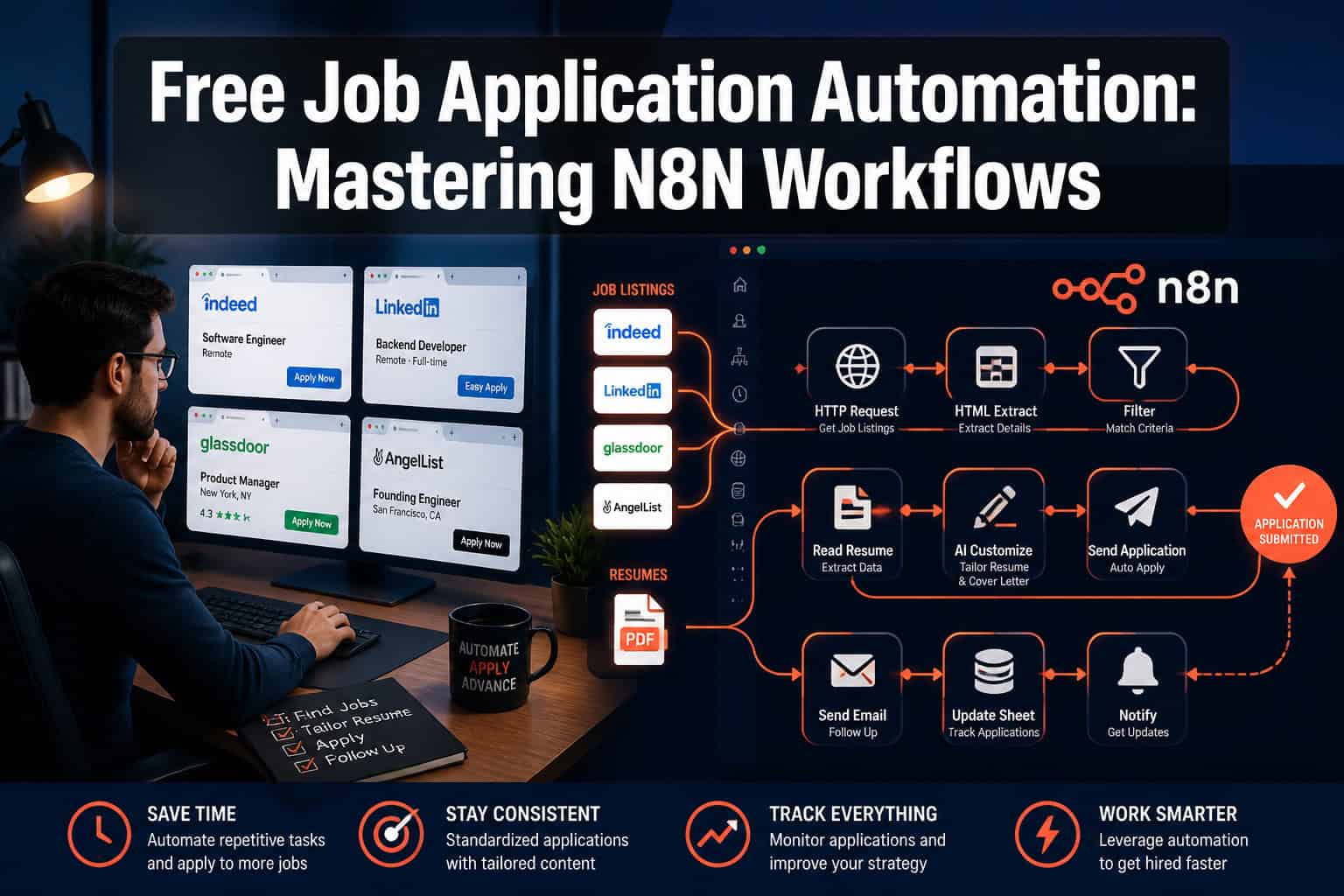
N8N is a free, open-source workflow automation tool that lets job seekers and recruiters build automated pipelines for job searching, application tracking, resume customization, and candidate screening, without writing complex code. By connecting job boards, AI models, spreadsheets, and email services through a visual node-based editor, you can reduce hours of repetitive work to minutes. This guide covers exactly how to build those workflows, what they cost, and where they fall short.
Key Takeaways
- N8N is free to self-host, making it one of the only no-cost options for serious job application automation at scale.
- Job seekers can automate job discovery across multiple boards (LinkedIn, Indeed, Glassdoor, RemoteOK, and more) from a single workflow [6].
- AI nodes inside n8n can generate tailored resume bullet points and cover letters for each job posting automatically [3].
- Recruiters can use n8n to screen incoming applications, score candidates, and trigger follow-up emails without touching an ATS manually.
- A complete job hunting automation system can be built in n8n using RSS feeds, HTTP request nodes, Google Sheets, and an AI API [1].
- The biggest mistakes beginners make are skipping error handling and failing to rate-limit API calls to job boards.
- N8N workflows are portable: export them as JSON and share or reuse them across projects.
- Self-hosting requires a server (a $5/month VPS works), but n8n also offers a paid cloud tier if you prefer zero setup.
What Is N8N and Why Does It Matter for Job Application Automation?
N8N is an open-source, node-based workflow automation platform. It connects apps, APIs, and services through a visual drag-and-drop editor, so you build logic by linking “nodes” rather than writing scripts from scratch.
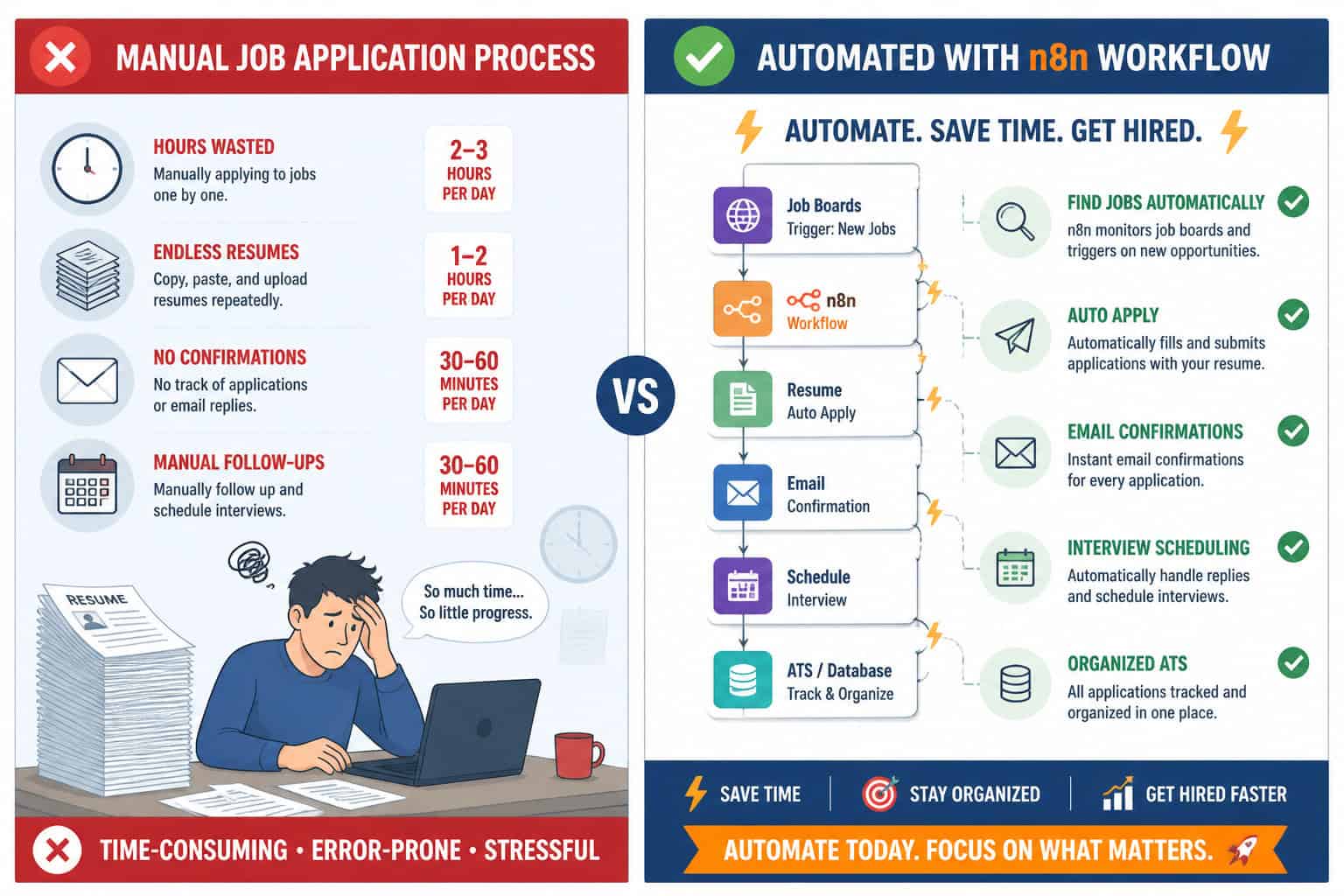
For job seekers and recruiters, this matters because the hiring process is full of repetitive, rule-based tasks: checking job boards daily, copying listings into a tracker, sending follow-up emails, formatting resumes. These are exactly the tasks automation handles well.
What makes n8n different from tools like Zapier or Make:
| Feature | N8N (self-hosted) | Zapier | Make (Integromat) |
|---|---|---|---|
| Cost | Free (self-hosted) | From $19.99/mo | From $9/mo |
| Workflow runs/month | Unlimited | Limited by plan | Limited by plan |
| AI/code nodes | Yes (built-in) | Limited | Limited |
| Self-hosting option | Yes | No | No |
| Learning curve | Moderate | Low | Low-moderate |
| Job board integrations | Via HTTP/RSS | Pre-built zaps | Pre-built modules |
For anyone serious about free job application automation, n8n’s self-hosted option is the clearest path to unlimited runs at zero recurring cost.
The ability to run unlimited workflows without paying per task is what separates n8n from every other automation tool for job seekers on a budget.
How Do You Set Up N8N for Free?
Setting up n8n for free takes about 20-30 minutes if you follow the right path. You have two options: self-host on a server, or use n8n’s free cloud trial.
Option 1: Self-host on a VPS (recommended for long-term use)
- Rent a VPS (DigitalOcean, Hetzner, or Vultr — $4-6/month).
- Install Docker on the server.
- Run the official n8n Docker image:
docker run -it --rm --name n8n -p 5678:5678 n8nio/n8n - Access your n8n instance at
http://your-server-ip:5678. - Set up basic authentication to secure your instance.
Option 2: N8N Cloud (free trial, then paid)
N8N offers a 14-day free trial on its cloud platform. Good for testing, but not for long-term free use.
Option 3: Run locally on your laptop
Install via npm: npm install n8n -g then run n8n. Works fine for testing workflows, but your automations only run when your laptop is on.
Choose self-hosting if you want workflows running 24/7 without your computer being on. Choose local if you just want to experiment before committing.
What N8N Workflows Can Job Seekers Build?
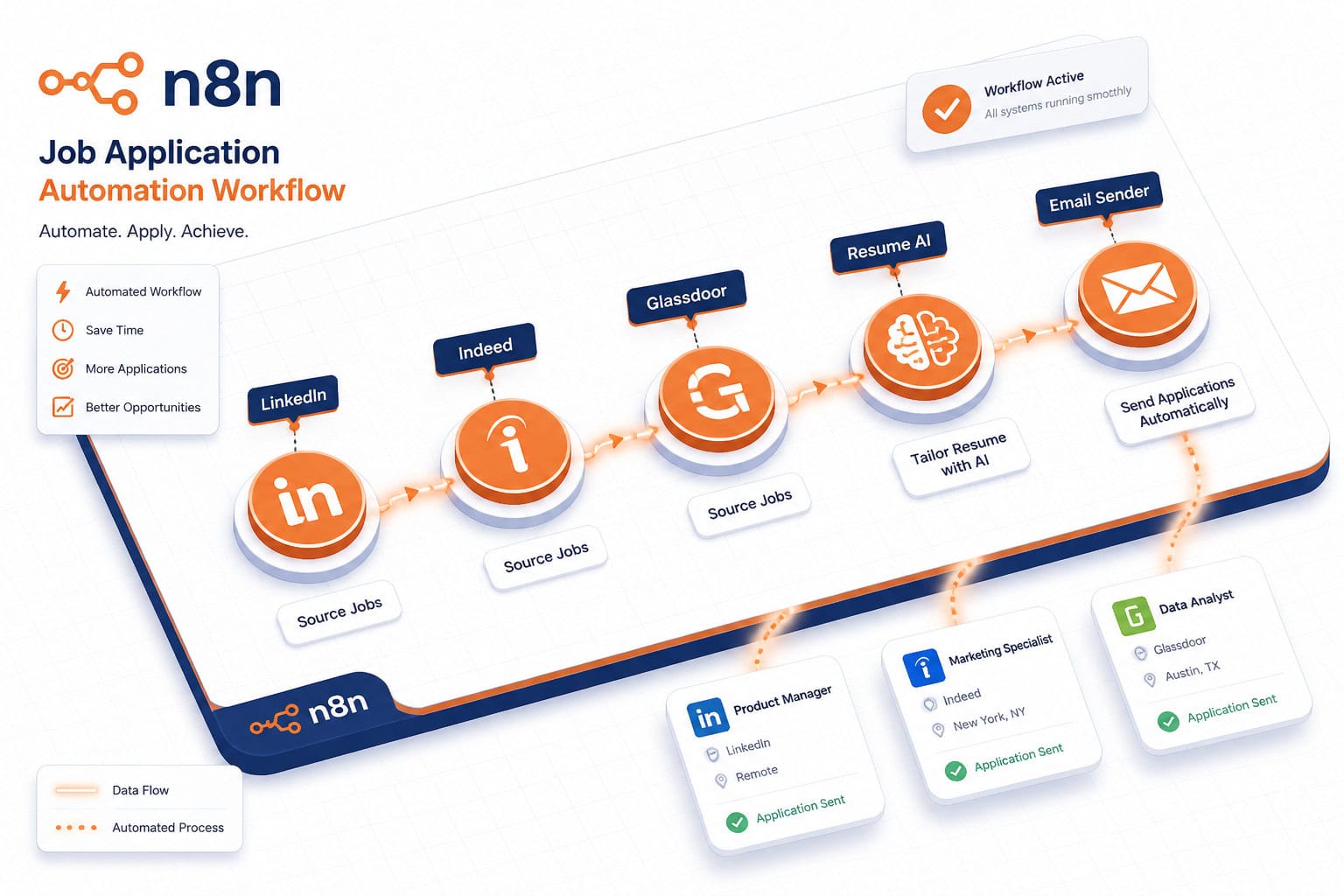
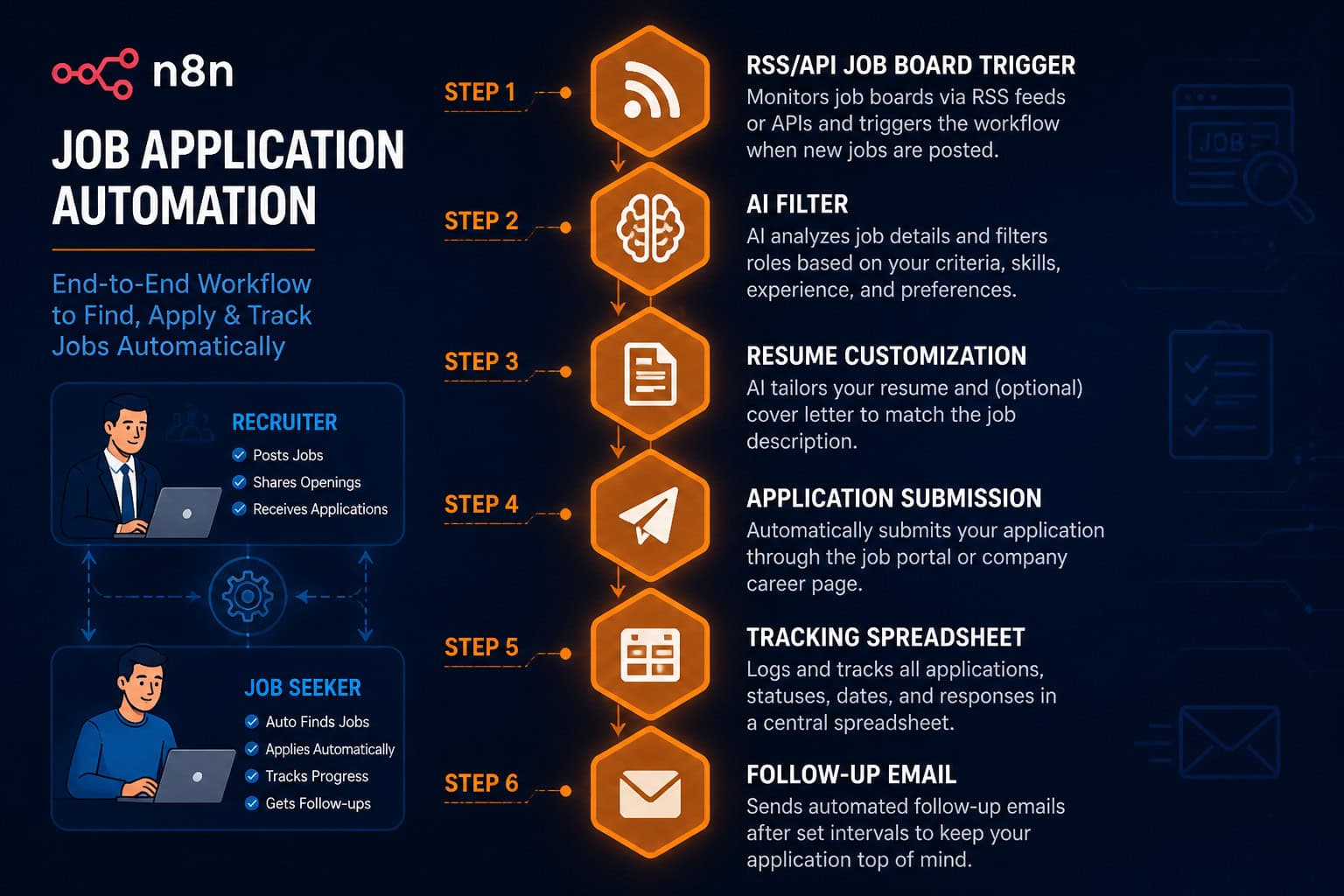
Job seekers can build end-to-end job hunting pipelines that handle discovery, filtering, application, and follow-up automatically [1][2].
A complete job hunting automation system in n8n typically includes these stages:
Stage 1: Job Discovery
- Use RSS feed nodes or HTTP request nodes to pull listings from job boards (Indeed, RemoteOK, We Work Remotely, LinkedIn via unofficial RSS).
- Schedule the workflow to run every 6-12 hours using a Cron trigger node.
Stage 2: AI-Powered Filtering
- Pass each job listing through an AI node (connected to OpenAI or a local model).
- Prompt the AI to score the listing against your skills, experience level, and preferences.
- Filter out listings below a set score threshold [3].
Stage 3: Resume and Cover Letter Customization
- For listings that pass the filter, send the job description to an AI node.
- Generate a tailored resume summary and cover letter draft automatically [6].
- Save the output to Google Docs or Notion.
Stage 4: Application Tracking
- Log each application to a Google Sheet with columns for: job title, company, date applied, status, follow-up date.
- Use a Set node to populate each field from the workflow data.
Stage 5: Follow-Up Automation
- Set a scheduled trigger to check your tracking sheet daily.
- If a row shows “applied” and the date is 7 days ago with no response, trigger an email follow-up via Gmail node.
This is exactly the kind of system documented by developers who built and shared their complete job hunting automation workflows publicly [1][2].
For more on how automation workflows connect to broader content and publishing tasks, see our guide on how to auto-share WordPress blog posts to social media, which covers similar trigger-and-action logic in n8n-compatible tools.
How Can Recruiters Use N8N Workflows?
Recruiters can use n8n to automate candidate intake, screening, scoring, and communication, cutting hours of administrative work per open role.
Most recruiter-facing automation focuses on three problems: too many applications to read manually, inconsistent follow-up with candidates, and slow handoffs between ATS and communication tools.
Recruiter workflow examples:
1. Automated Application Intake and Scoring
- Trigger: New application submitted via a form (Typeform, Tally, or a custom form).
- Action: Parse the resume text using an AI node.
- Score the candidate against a rubric (years of experience, required skills, location).
- Write the score and summary to an Airtable or Google Sheet.
- If score is above threshold, send a calendar invite for a screening call via Calendly API.
2. Job Posting Distribution
- Trigger: New job added to your internal system.
- Action: Post the listing to multiple job boards via their APIs simultaneously.
- Notify your Slack channel that the role is live.
3. Candidate Status Updates
- Trigger: Status change in your ATS (via webhook).
- Action: Send a personalized email to the candidate with their current status.
- Log the communication in your CRM.
Common mistake: Recruiters often build workflows that send emails without a human review step for edge cases. Always add an “approval” node or a manual check for candidates flagged as borderline by the AI scorer.
This kind of structured workflow thinking also applies to managing complex digital projects. For a parallel example of template-driven workflow organization, see Framer project management templates for optimizing professional workflows.
What Are the Best Pre-Built N8N Workflows for Job Applications?
The n8n community template library hosts several ready-to-use job application workflows you can import and customize without building from scratch.
Top community workflows worth using:
- AI-Powered Automated Job Search and Application (workflow #6391): Searches job boards, filters by criteria, and submits applications automatically [3].
- Automate Job Search Across 5 Job Boards with AI Resume Generator (workflow #6927): Covers LinkedIn, Indeed, Glassdoor, RemoteOK, and ZipRecruiter with an AI resume tailoring step [6].
How to import a community workflow:
- Go to
n8n.io/workflowsand find the workflow you want. - Click “Use workflow” and copy the JSON.
- In your n8n instance, click the menu icon, then “Import from URL” or paste the JSON directly.
- Add your own API credentials (OpenAI key, Gmail OAuth, Google Sheets access).
- Test each node individually before activating the full workflow.
What you’ll need to customize:
- Your target job titles and keywords.
- Your resume text (stored as a variable or pulled from a Google Doc).
- Your email signature and follow-up templates.
- The AI prompt that scores job listings against your profile.
Pre-built workflows save 3-5 hours of initial setup time, but they always need customization. Treat them as starting templates, not finished products.
Step-by-Step: Building Your First N8N Job Application Workflow
Here is a practical walkthrough for building a basic job discovery and tracking workflow. This is a good starting point before moving to full application automation [1][2].
What you’ll build: A workflow that checks a job board RSS feed every morning, filters listings by keyword, and logs matching jobs to a Google Sheet.
Step 1: Add a Schedule Trigger node
- Set it to run daily at 8:00 AM.
- This starts the workflow automatically each morning.
Step 2: Add an HTTP Request node
- URL: An RSS feed from a job board (e.g.,
https://remoteok.com/remote-jobs.rss). - Method: GET.
- Response format: XML.
Step 3: Add an XML node
- Parse the RSS feed response into structured data (title, company, link, description).
Step 4: Add a Split In Batches node
- Process each job listing individually through the rest of the workflow.
Step 5: Add an IF node
- Condition: Does the job title contain your target keyword (e.g., “product manager”)?
- If yes: continue. If no: stop processing this item.
Step 6: Add a Google Sheets node
- Action: Append a row.
- Map fields: job title, company name, URL, date found.
- Connect to your job tracking spreadsheet.
Step 7: Add an error handling node
- Use n8n’s built-in error workflow feature to send yourself an email if the workflow fails.
Step 8: Test and activate
- Run the workflow manually first to verify each node outputs correct data.
- Check your Google Sheet for new rows.
- Activate the workflow so it runs on schedule.
This basic workflow takes about 45-60 minutes to build the first time. Once you’re comfortable with the node logic, adding AI filtering and email automation is a natural next step.
For more on building automated content and publishing pipelines with similar logic, see our Automation Archives for related workflow guides.
What Are the Limitations and Risks of Job Application Automation?
Free job application automation with n8n is powerful, but it has real limits that can backfire if you ignore them.
Technical limitations:
- Job board rate limits: Most job boards block or throttle automated scraping. Always check a site’s terms of service before automating requests. Use official APIs or RSS feeds where available.
- CAPTCHA and bot detection: Sites like LinkedIn actively detect automated behavior. Workflows that simulate browser actions can get your account flagged or banned.
- API costs: The “free” in n8n refers to the platform itself. If you use OpenAI for AI nodes, you’ll pay per API call. Budget roughly $0.01-0.05 per job listing processed, depending on the model and prompt length.
- Maintenance overhead: Job board RSS feeds change. API endpoints move. Workflows need regular maintenance to keep working.
Quality risks for job seekers:
- AI-generated cover letters can sound generic if your prompt isn’t specific enough. Always review AI output before sending.
- Mass-applying with a generic resume hurts your response rate. Automation should assist targeting, not replace it.
- Automated follow-ups sent at the wrong time or tone can damage your candidacy.
For recruiters:
- AI scoring can introduce bias if the rubric reflects historical hiring patterns. Audit your scoring criteria regularly.
- Automated rejection emails sent without human review can create legal exposure in some jurisdictions.
The bottom line: Use automation to handle discovery, tracking, and drafting. Keep a human in the loop for final decisions and outreach.
How Does Free Job Application Automation Compare to Paid Tools?
Several paid tools offer job application automation with polished interfaces and built-in job board integrations. Here’s how they stack up against the free n8n approach.
| Tool | Cost | Automation Depth | Customization | Best For |
|---|---|---|---|---|
| N8N (self-hosted) | Free + server ($5/mo) | Very high | Full control | Technical users, budget-conscious |
| Zapier | $19.99-$69/mo | Medium | Limited | Non-technical users |
| Teal HQ | Free-$29/mo | Low (tracking only) | Low | Job seekers wanting a UI |
| LazyApply | ~$99 one-time | High (LinkedIn/Indeed) | Low | Volume applicants |
| Simplify | Free-$15/mo | Medium | Low | Chrome extension users |
Choose n8n if: You’re comfortable with basic tech setup, want unlimited runs at low cost, and need custom logic that paid tools can’t replicate.
Choose a paid tool if: You want a polished interface with zero setup, don’t mind monthly fees, and need pre-built integrations that work out of the box.
The freelance market also reflects demand for n8n job automation expertise, with recruiters and job seekers posting projects specifically requesting n8n-built application systems [8].
For teams already using AI-powered tools in their workflows, see our overview of AI-powered content optimization: a practical guide for better performance for related automation thinking.
FAQ: Free Job Application Automation with N8N
Q: Is n8n really free? Yes, n8n is free to self-host under its “fair-code” license. You pay only for the server you run it on (typically $4-6/month). The n8n cloud product has a paid tier, but self-hosting costs nothing beyond infrastructure.
Q: Do I need to know how to code to use n8n? No coding is required for basic workflows. The visual editor handles most logic. Some advanced use cases (custom JavaScript in a Code node, API authentication) benefit from basic scripting knowledge, but most job automation workflows use pre-built nodes.
Q: Can n8n apply to jobs automatically without me clicking anything? Yes, for some job boards. Workflows can fill forms and submit applications via API or HTTP requests. However, sites with CAPTCHA or bot detection (like LinkedIn Easy Apply) require browser automation tools (like Playwright) that are harder to integrate and carry account ban risk.
Q: How many job applications can I automate per day? There’s no n8n limit. The practical limit depends on job board rate limits and your API budget. A reasonable safe volume is 20-50 applications per day with proper delays between requests.
Q: Will automated applications hurt my chances? They can, if the application is generic. The best approach is using automation to identify and prepare applications, then reviewing AI-drafted materials before sending. Volume without quality reduces response rates.
Q: Can recruiters use n8n to screen resumes? Yes. By connecting an AI node to a resume parsing step, recruiters can score and rank candidates automatically. This works best as a first-pass filter, not a final decision tool.
Q: What job boards work best with n8n? RemoteOK, We Work Remotely, and GitHub Jobs offer RSS feeds that work cleanly with n8n. Indeed and LinkedIn require more careful handling due to scraping restrictions. Always use official APIs or RSS feeds first.
Q: How long does it take to build a complete job automation workflow? A basic job discovery and tracking workflow takes 1-2 hours. A full system with AI filtering, resume customization, application submission, and follow-up email automation takes 6-12 hours to build and test properly [1][2].
Q: Can I share my n8n workflow with others? Yes. Export any workflow as a JSON file and share it. The n8n community template library is built on this feature [3][6].
Q: What AI model works best inside n8n for job automation? GPT-4o (via OpenAI API) gives the best results for resume tailoring and cover letter generation. GPT-3.5-turbo is faster and cheaper for simple filtering tasks. Local models via Ollama work for privacy-sensitive use cases but require more server resources.
Q: Is there a risk of getting banned from job boards? Yes, if you scrape aggressively or simulate browser clicks on sites that prohibit it. Stick to RSS feeds and official APIs, add delays between requests, and review each platform’s terms of service before automating.
Q: Do I need a separate OpenAI account for the AI nodes? Yes. N8N connects to OpenAI via API key. You’ll need an OpenAI account with billing enabled. Costs are usage-based and typically low for job automation (estimate $5-15/month for active job searching).
Conclusion: Your Next Steps with N8N Job Automation
Free job application automation through n8n workflows is one of the most practical ways to reduce the grind of job searching or candidate screening in 2026. The platform is genuinely free to self-host, the community has built and shared complete workflow templates [3][6], and the combination of AI nodes with job board integrations creates real leverage for both sides of the hiring process.
Here’s what to do next:
- Set up n8n today. Install it locally via npm to test it risk-free, then move to a VPS when you’re ready to run it 24/7.
- Import a community template. Start with workflow #6927 (5 job boards + AI resume generator) [6] rather than building from scratch.
- Add your credentials. Connect your OpenAI API key, Google Sheets, and Gmail account to the relevant nodes.
- Run it manually first. Test each node individually before activating the schedule trigger.
- Review AI output before sending. Automation handles the drafting; you handle the final judgment.
- Iterate weekly. Check which job listings the filter passes, refine your AI prompt, and adjust your keyword list as you learn what works.
The goal isn’t to remove yourself from the job search. It’s to spend your time on conversations and decisions, not on copying job titles into spreadsheets at midnight.
For more on building automated digital workflows across different platforms, explore our Automation Archives and our guide on advanced WordPress strategies for power users in 2026 for related automation concepts you can apply across your digital toolkit.
References
[1] How I Built A Complete Job Hunting Automation System With N8n And Why Every Job Seeker Should – https://dev.to/djsmacker01/how-i-built-a-complete-job-hunting-automation-system-with-n8n-and-why-every-job-seeker-should-21h5
[2] How I Built A Complete Job Hunting Automation System With N8n And Why Every Job Seeker Should – https://dev.to/nurudeenadedeji/how-i-built-a-complete-job-hunting-automation-system-with-n8n-and-why-every-job-seeker-should-21h5
[3] AI Powered Automated Job Search And Application (Workflow #6391) – https://n8n.io/workflows/6391-ai-powered-automated-job-search-and-application/
[6] Automate Job Search And Applications With 5 Job Boards And AI Resume Generator (Workflow #6927) – https://n8n.io/workflows/6927-automate-job-search-and-applications-with-5-job-boards-and-ai-resume-generator/
[8] Automation For Job Application – https://www.freelancer.com/projects/n8n/automation-for-job-application