Last updated: May 9, 2026
Quick Answer: Make.com (formerly Integromat) processes user data under four legal bases: contract necessity, legitimate interest, consent, and legal obligation. Users hold full rights to access, correct, delete, and port their data at any time. Make follows GDPR-aligned principles including data minimization and transparent processing, and offers an optional “Data Is Confidential” setting for users who need maximum privacy on sensitive workflows.
Key Takeaways
- Make.com collects both directly submitted data (account registration, event sign-ups) and technical device data (IP address, browser type, OS, referrer URL) [3]
- Four legal bases govern all data processing: contractual necessity, legitimate interest, user consent, and legal/regulatory compliance [3]
- Users can request access, correction, deletion, or portability of their personal data at any time [3]
- The “Data Is Confidential” setting prevents Make from storing any log or business data on its systems [4]
- Data is deleted upon user request or when it no longer serves its original purpose, even after account termination [1]
- Make enforces GDPR data minimization: only data necessary for specific, legitimate purposes is collected [1]
- Marketing opt-out is straightforward via unsubscribe links in any communication [3]
- FTC enforcement and binding arbitration provisions may apply to U.S.-based users [3]
What Data Does Make.com Actually Collect?
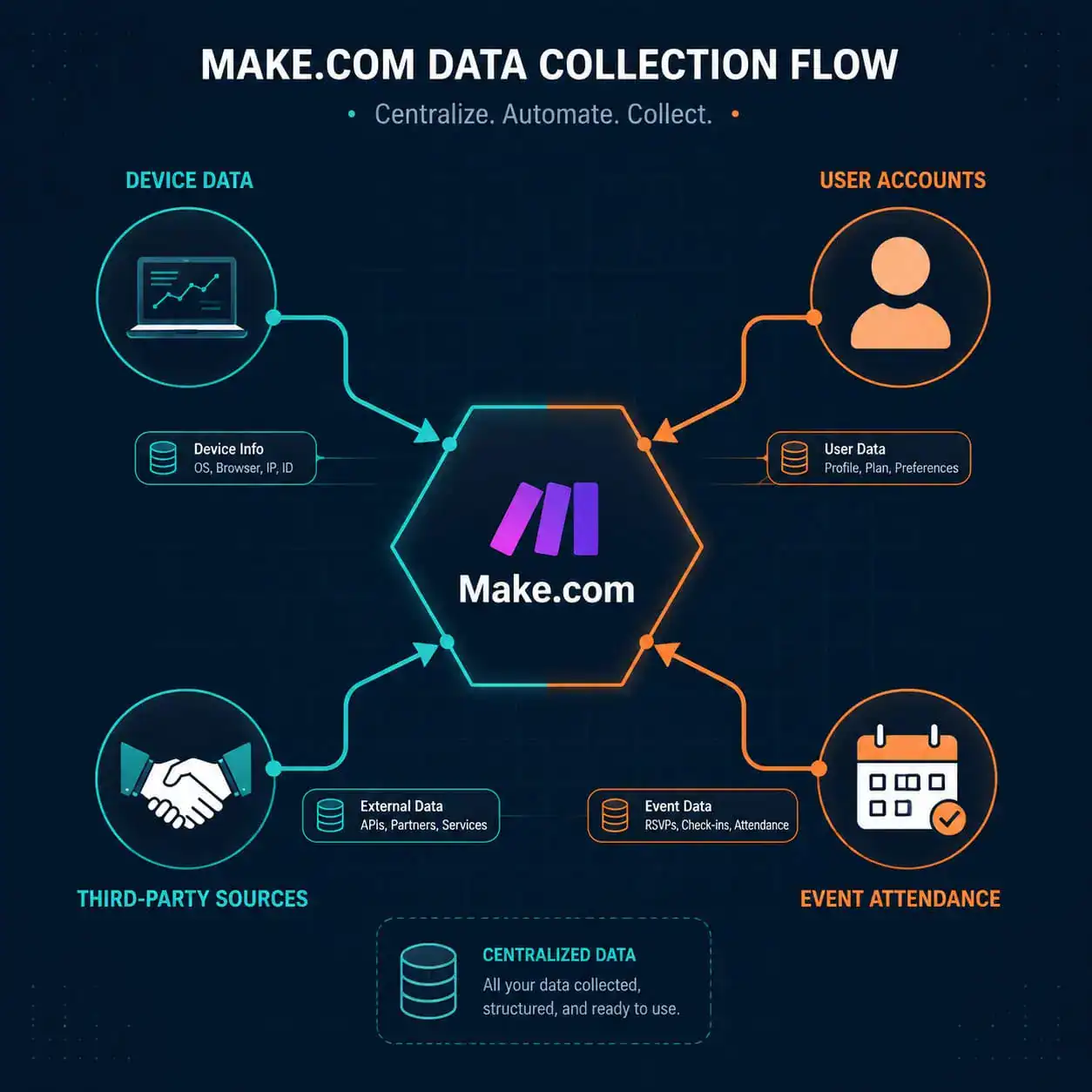
Make.com collects two broad categories of data: information users provide directly and technical data gathered automatically when someone visits its websites or applications. Understanding Make.com Privacy Policy: A Comprehensive Guide to Data Protection and User Rights starts with knowing exactly what goes into that collection.
Directly submitted data includes:
- Name, email address, and account credentials during service registration
- Information shared during user research activities or event attendance
- Data provided by employers (for team/enterprise accounts)
- Information sourced from third parties: public databases, resellers, marketing partners, security firms, and social media platforms [3]
Automatically collected technical data includes:
- Device type and identifiers
- Browser type and version, operating system
- IP address and geographic area
- Internet service provider
- Access time, date, and duration
- Referrer URL (the page you came from) [3]
💡 Edge case: If you sign up through a reseller or your employer provisions your account, Make may receive your data from those third parties before you ever visit Make.com directly. Check with your employer about what data was shared on your behalf.
What Are the Legal Bases for Processing Your Data?
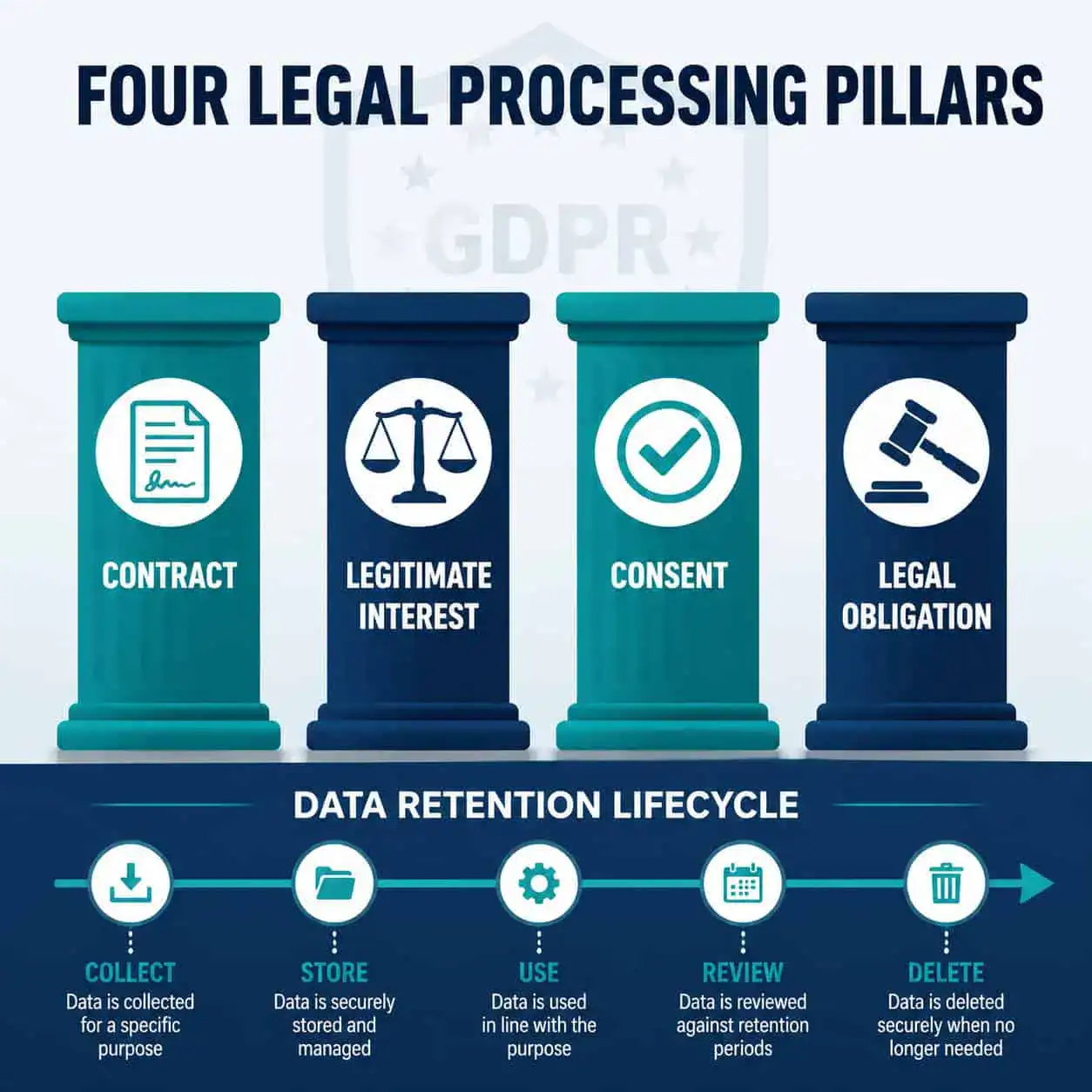
Make processes personal data only when at least one of four legal bases applies. This is a core GDPR requirement, and Make’s privacy notice spells out each one clearly [3].
| Legal Basis | When It Applies |
|---|---|
| Contractual necessity | Processing required to deliver the service you signed up for |
| Legitimate interest | Business purposes like fraud prevention, security, or improving the platform |
| User consent | Marketing emails, optional analytics, or non-essential cookies |
| Legal/regulatory obligation | Compliance with tax laws, court orders, or regulatory requirements |
Common mistake: Many users assume Make can only process data with explicit consent. In practice, contractual necessity covers most core service functions, so you can’t opt out of that processing and still use the platform. Consent applies mainly to marketing and optional features.
For users running automated workflows that touch sensitive data, Make’s GDPR safeguards include lawful, fair, and transparent processing principles at every stage [1]. If you’re building automation pipelines that handle customer data, this matters for your own compliance posture too. You can explore how automation tools handle data in our Automation Archives on WebAiStack.
How Long Does Make.com Keep Your Data?
Make retains personal data only for as long as needed to fulfill the purpose for which it was collected. Once that purpose ends, data is deleted unless one of three exceptions applies [3]:
- A regulation requires longer retention (for example, financial records under tax law)
- The data is needed to assert or defend a legal claim
- A user has not yet submitted a deletion request and the retention window hasn’t expired
Choose this if: You want to minimize your data footprint. Submit a deletion request directly to Make after closing your account. Make honors post-termination deletion requests regardless of account status [1].
The data minimization principle also applies at the collection stage: Make restricts what it gathers to only what is necessary for specific, explicit, and legitimate purposes [1]. This isn’t just a policy statement; it’s a GDPR obligation with real enforcement teeth.
What Rights Do You Have as a Make.com User?
This is the most practical section of any privacy guide. Understanding Make.com Privacy Policy: A Comprehensive Guide to Data Protection and User Rights means knowing what you can actually do, not just what the policy says.
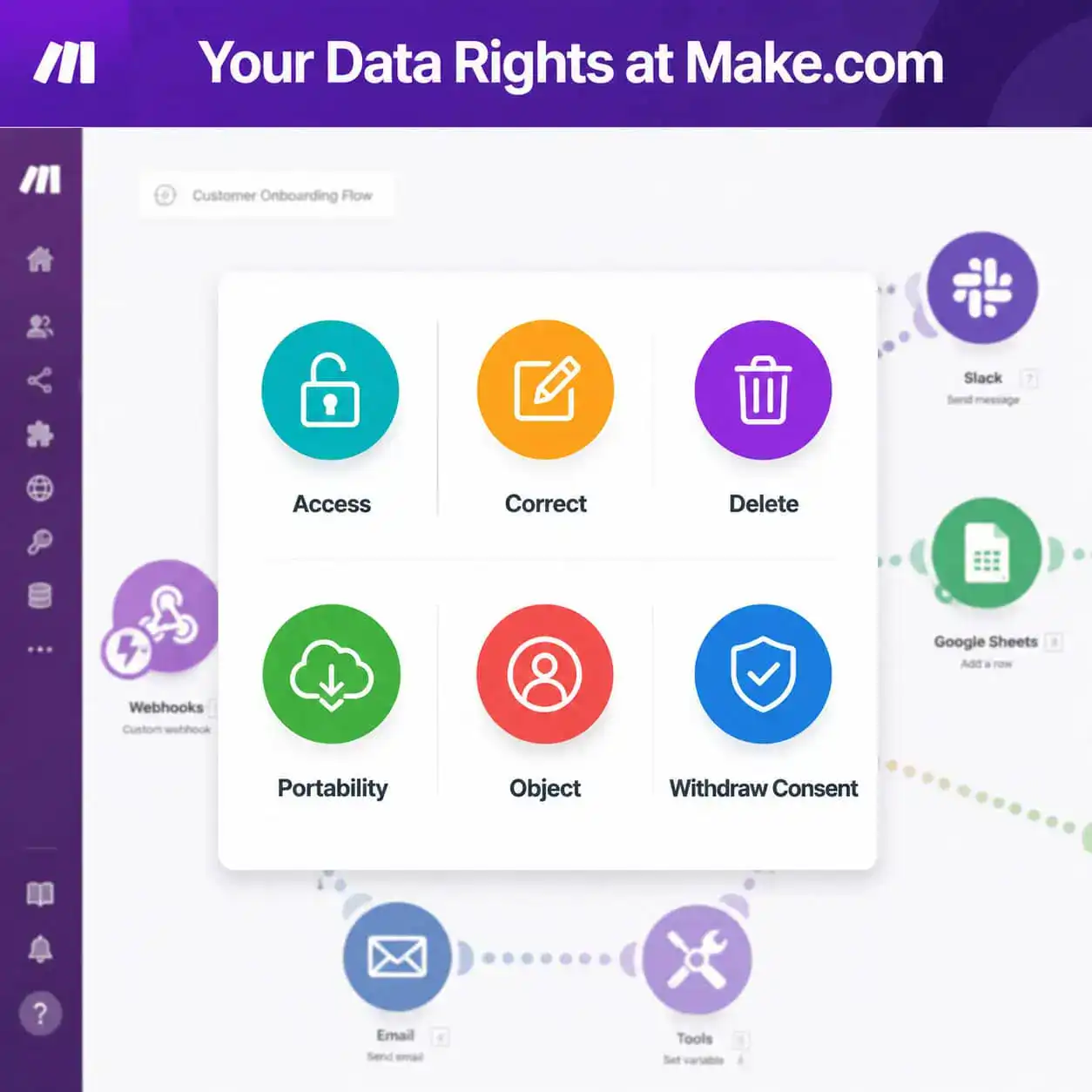
Your rights under Make’s privacy notice [3]:
- 🔍 Access: Request a copy of all personal data Make holds about you
- ✏️ Correct: Update or fix inaccurate data in your profile or records
- 🗑️ Delete: Ask Make to erase your data (subject to legal retention exceptions)
- 📦 Portability: Receive your data in a structured, machine-readable format
- 🚫 Object: Challenge processing based on legitimate interest
- ⏸️ Restrict: Limit how Make uses your data while a dispute is resolved
- ↩️ Withdraw consent: Opt out of any consent-based processing at any time, with no effect on prior processing
- ⚖️ Non-discrimination: Exercising any of these rights cannot result in reduced service quality or account penalties
How to exercise your rights: Make provides direct contact channels in its privacy notice. For marketing opt-outs specifically, every email includes an unsubscribe link [3]. For data access or deletion requests, contact Make’s data protection team through the methods listed at make.com/en/privacy-notice.
“Users can withdraw consent at any time for future processing — this does not affect the lawfulness of processing that occurred before the withdrawal.” — Make Privacy Notice [3]
What Is the “Data Is Confidential” Setting and Who Needs It?
The “Data Is Confidential” setting is Make’s most privacy-protective option. When activated, Make stores no log or business data anywhere on its systems for that account [4].
Use this setting if:
- You process sensitive customer data (healthcare, legal, financial)
- Your workflows handle PII that shouldn’t be logged
- You operate under strict data residency or compliance requirements
Trade-off: With this setting on, Make’s support team cannot access execution logs to help troubleshoot failed scenarios. You trade debugging visibility for maximum data privacy. For most standard automation users, the default settings with standard GDPR protections are sufficient.
This setting is particularly relevant for teams building complex workflows. If you’re managing multiple automations, our guide on advanced WordPress automation strategies for power users covers related data handling considerations.
How Does Make.com Handle Cookies and Tracking?
Make uses cookies and similar tracking technologies on its websites, governed by a separate Cookie Notice [6]. Cookies fall into categories: strictly necessary (required for the site to function), functional, analytical, and marketing.
Key points:
- Strictly necessary cookies cannot be disabled without breaking site functionality
- Analytical and marketing cookies require your consent
- You can manage cookie preferences through Make’s cookie consent tool at any time
For users building web-based tools that integrate with Make, understanding cookie data flows matters for your own site’s compliance. If you’re optimizing a site for SEO alongside automation, see our Webflow SEO optimization guide for related technical considerations.
Does Make.com Share Your Data with Third Parties?
Make does share data with third parties, but within defined limits [3]. Data recipients include:
- Service providers: Hosting, analytics, payment processors, and customer support tools
- Business partners: Resellers and integration partners who help deliver the service
- Legal authorities: Law enforcement or regulators when legally required
- Acquirers: In the event of a merger, acquisition, or asset sale
Make does not sell personal data to third-party advertisers. Data shared with service providers is governed by data processing agreements that require those providers to handle data under equivalent protections.
U.S.-specific note: Make may be subject to FTC investigatory and enforcement powers, and its privacy notice includes provisions for binding arbitration under certain circumstances [3]. U.S. users should review these terms if they have concerns about dispute resolution options.
What Should You Do Right Now to Protect Your Data on Make.com?
Understanding Make.com Privacy Policy: A Comprehensive Guide to Data Protection and User Rights is only useful if it leads to action. Here’s a practical checklist:
- Review your account data: Log in and audit what personal information is stored in your profile
- Enable “Data Is Confidential” if your workflows handle sensitive or regulated data [4]
- Check third-party connections: Review which apps and services are connected to your Make account
- Unsubscribe from non-essential emails if you don’t want marketing communications [3]
- Submit a data access request if you want to know exactly what Make holds about you
- Update your cookie preferences at make.com to reflect your current consent choices [6]
- Read Make’s Terms and Conditions alongside the privacy notice for a complete picture of your rights [5]
If you’re using Make alongside other no-code tools, our roundup of no-code website design software platforms includes notes on how various platforms handle user data.
FAQ: Make.com Privacy Policy
Q: Can I delete my Make.com data after canceling my subscription?
Yes. Make honors data deletion requests even after account termination. Submit your request through Make’s privacy contact channels, and they are obligated to comply unless a legal retention exception applies [1].
Q: Does Make.com sell my personal data?
No. Make’s privacy notice does not authorize the sale of personal data to third-party advertisers. Data sharing is limited to service providers, legal requirements, and business transfers [3].
Q: What happens to my data if Make.com is acquired?
Your data may transfer to the acquiring entity as part of business assets. Make’s privacy notice covers this scenario, and users are typically notified of material changes [3].
Q: How do I opt out of Make.com marketing emails?
Every marketing email from Make includes an unsubscribe link. Click it to withdraw consent from future communications immediately [3].
Q: Is Make.com GDPR compliant?
Yes. Make implements GDPR-aligned safeguards including lawful processing bases, data minimization, user rights mechanisms, and transparent data handling practices [1].
Q: What is the “Data Is Confidential” setting?
It’s an account-level setting that prevents Make from storing any log or business data on its systems. It offers maximum privacy but removes Make’s ability to help troubleshoot workflow errors [4].
Q: Can I request a copy of my data from Make.com?
Yes. Under your right to data access, you can request a copy of all personal data Make holds about you at any time [3].
Q: Where do I file a complaint about Make.com’s data handling?
You can file a complaint with your local data protection authority (for EU users, this is your national DPA). Make’s privacy notice confirms this right explicitly [3].
Conclusion
Make.com’s privacy framework is built on GDPR principles: collect only what’s needed, process it lawfully, and give users real control. For most users, the default settings provide solid protection. For those handling sensitive data, the “Data Is Confidential” setting closes the loop entirely.
Your next steps:
- Audit your Make.com account data and connected apps today
- Enable “Data Is Confidential” if your workflows touch regulated or sensitive information
- Submit a data access request if you want full visibility into what’s stored
- Bookmark Make’s privacy notice (make.com/en/privacy-notice) and check it when Make announces policy updates
If you’re building automation workflows that integrate with content tools, our AI-powered content optimization guide covers how to handle data responsibly across connected platforms.
Privacy compliance isn’t a one-time checkbox. Review your settings whenever you add new integrations or your data handling requirements change.
References
[1] Privacy And GDPR – https://www.make.com/en/privacy-and-gdpr
[3] Privacy Notice – https://www.make.com/en/privacy-notice
[4] community.make – https://community.make.com/t/security-of-my-data-in-make/43673
[5] Terms And Conditions – https://www.make.com/en/terms-and-conditions
[6] Cookie Notice – https://www.make.com/en/cookie-notice